17
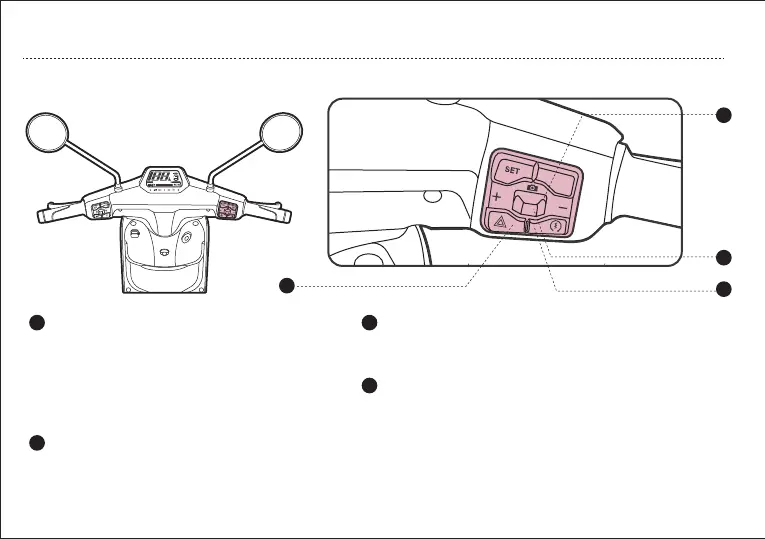
b. Right Handlebar Control Assy
OPERATION GUIDE
2
3
5
4
2
3
4
5
Gear plus and minus botton Front camera shooting button
When the parking switch is pressed to the up position, the vehicle
enters parking state, When the parking switch is pressed to the
down position, the READY indicator illuminates, and the vehicle
exits parking state.
The vehicle provides three ride modes:
1 eco, 2 normal, 3 sport.
Position Right for Mode 1;
Position Middle for Mode 2;
Position Left for Mode 3.
*This function is only applicable to some models, please refe
to the operating guide for details*
Tap the double flashing button, the turn signal will
enter the double flashing state
Double Flash
Parking Switch


 To Next Page