Need help?
Do you have a question about the SoFlow Flowboard Air Aluminium and is the answer not in the manual?
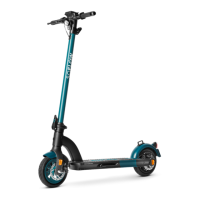
Explains the intended use and benefits of the Flowboard Air, focusing on practical movement and intuitive mobility.
Lists the items included in the Flowboard Air package, such as the scooter, handlebar, handles, charger, and manual.
Details the EU guidelines and harmonized standards that the Flowboard Air complies with for safety and electromagnetic compatibility.
Stresses the risks of serious injury or death from driving and the necessity of following all instructions and warnings in the manual.
Highlights the risk of injury from loss of control, collisions, and falls, emphasizing learning safe driving techniques.
States that driving any vehicle carries risks and advises starting slowly in a safe location with assistance.
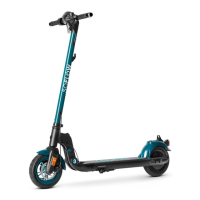
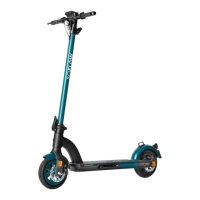
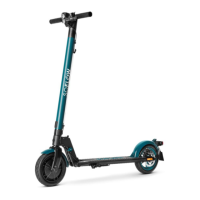
Provides a labeled diagram of the Flowboard Air, identifying key components like the display, handlebar, and engine.
Explains the step-by-step process for both unfolding the Flowboard Air and folding it back together for storage or transport.
Guides the user through the assembly process, including unpacking, attaching handlebars, and turning on the device.
Details how to charge the Flowboard Air's lithium-ion battery, including charging times, indicators, and important safety precautions.
Provides instructions for maintaining the Flowboard Air, including charging practices, screw checks, and cleaning procedures to ensure longevity.
Explains how to accelerate and brake using the Flowboard Air, detailing the use of acceleration and braking plates and the rear mudguard.
Describes the buttons on the display, including selection keys and the power/function change button, and their functions.
Lists the information displayed on the handlebar, such as battery capacity, gear, speed, distance, and trip time.
Explains how to view different driving information (distance, total distance, RPM, time, voltage) by pressing the power button.
Advises against changing preset parameters unless knowledgeable, and outlines how to access and view specific settings like undervoltage and wheel diameter.
Explains how the Flowboard Air notifies the user of malfunctions related to brakes, engine, acceleration/brake plates, or controls.
Advises storing the Flowboard Air in a dry place, recharging monthly, and avoiding extreme temperatures and direct sunlight.
Provides cleaning instructions using a moist sponge and towel, warning against excessive water and corrosive substances.
States that repairs must be done by licensed mechanics with original parts to avoid voiding the warranty.
Outlines the limited warranty period (2 years for vehicle, 6 months for battery) and conditions that invalidate the warranty.
Instructs users to dispose of electrical components responsibly, not in domestic waste, but as electronic waste according to local guidelines.
Presents detailed technical specifications of the Flowboard Air, including dimensions, weight, speed, battery, and charging information.
 General
| Material | Aluminium |
|---|---|
| Max Speed | 20 km/h |
| Max Load | 100 kg |
| Category | Electric Scooter |
| Brakes | Electronic brake |
| Charging Time | 3 hours |

 To Next Page