EasyManua.ls Logo

Solar 2-PRO - User Manual

Solar 2-PRO
2 pages
Print Icon
To Next Page IconTo Next Page
Loading...
USER MANUAL
******The led light source is non-user replaceable******
1. Set lighting mode FIRST, THEN set lighting times as (4h, 6h or 12 hours), otherwise, time will not be activated.
2. Motion sensor will be not functional when you set the different brightness level (25%, 50%, 75% or 100%) .
3. The two motion sensor programs are default set and cannot be changed. but the lighting time can be changed as 4H 6H and 12H
4. The light will blink twice when it receives the signal successfully from the remote.
Match operation is to link the light and
remote into one same group, this
allows you to use one remote to control
multi solar lights without interfering
same floodlights within a short
distance.
The remote will control the solar flood
light if you do not do match operation.
What is “match”?
Press and hold the button
MATCH , be ready to pair
the light and remote
Press the light button ON.
and then the light will
blink once. then matching
PROBLEM POSITION HOW TO SOLVE
Light is off
Short working time
Switch is off
No direct sun
Much cloudy or rainy days
Push on the switch
Move light to sunshine place
Work again when sun comes
Debris on solar panel
Installation location
Cloudy or very rainy
Adjust location
Clean solar panel
Work again when sun comes
Battery life is expried
Remote setting is wrong
Replace the battery in remote
Press the longer time button.
2-PRO 4-PRO
6-PRO/8-PRO
MADE IN CHINA
Materials in Package
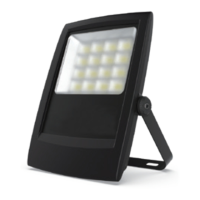
01 : Solar flood light ( 1pc ) 02 : Solar Panel ( 1pc ) 03 : Remote control ( 1pc ) 04 : Expansion screw ( 4pcs )
05 : 4.5m Adaptor cable (1pc) 06 : 2 Brackets + 4 M4*10 screws07 : AAA Battery ( 2pcs ) 08 : User manual ( 1pc )
REMARK
COMMON TROUBLESHOOT
BEFORE USE
1 2
Question and Answer IconNeed help?

Do you have a question about the Solar 2-PRO and is the answer not in the manual?

Summary

Getting Started and Pairing

Pairing the Light and Remote

Links the solar light and remote into one group for synchronized control without interference.

Common Troubleshooting

Troubleshooting Guide

Provides solutions for common issues like light not working, short working time, and battery problems.

Installation and Setup

Installation Steps

Detailed steps for mounting the light, solar panel, and connecting components for optimal performance.

Product Specifications and Features

Main Specifications

Details key technical specifications including luminous flux, battery capacity, and solar panel type.

Remote Control Functions

Explains how to use the remote for adjusting lighting power, time, and motion sensor settings.

Battery Indicator

Describes the color-coded indicators for the battery charge level of the solar light.

Overview

This document describes a solar LED floodlight system designed for outdoor illumination, emphasizing energy efficiency and user-friendly operation. The system consists of a solar panel, a floodlight, and a remote control, all working together to provide reliable lighting.

Function Description

The primary function of this device is to provide illumination using solar energy. The solar panel charges an internal battery during daylight hours, which then powers the LED floodlight at night. The system is designed to be highly adaptable, offering various lighting modes and control options to suit different user needs and environmental conditions.

The floodlight can operate in both manual and automatic modes. In automatic mode, it is designed to turn on at dusk and turn off at dawn, making it suitable for general outdoor lighting. The system also incorporates motion detection capabilities, allowing it to function as a security light. When motion is detected, the light can turn on at full brightness for a set duration, providing an alert or enhancing visibility. This feature is particularly useful for areas requiring intermittent lighting or enhanced security.

A key aspect of its functionality is the "MATCH" feature, which is crucial for establishing communication between the floodlight and the remote control. This pairing process ensures that the remote control can effectively manage the light's settings.

Usage Features

The solar LED floodlight offers a wide range of usage features, primarily controlled via a 2.4G remote control, which is more sensitive and does not require direct pointing at the light, with a range of up to 10 meters in open-air areas.

  • Manual ON/OFF: Users can manually turn the light on or off, providing flexibility for both day and night operation.
  • Automatic Dusk-to-Dawn Operation: The "AUTO" setting enables the light to automatically turn on at dusk and turn off at dawn, offering a hassle-free lighting solution.
  • Brightness Adjustment: The remote control allows users to set four different levels of brightness (25%, 50%, 75%, 100%), enabling energy saving or maximizing illumination as needed. This is particularly useful in areas with varying sunlight exposure or when conserving battery life is desired.
  • Timed Lighting: Users can set the lighting duration for 4, 6, or 12 hours, providing control over how long the light remains active after dusk.
  • Motion Sensor Modes:
    • Security Light Mode (MATCH 0%+100%): In this mode, the light remains off until motion is detected. Upon detection, it turns on at 100% brightness for 1 minute, then turns off again. This is ideal for security purposes or areas where light is only needed when someone is present.
    • Combined Motion and Continuous Lighting (MATCH 30%+100%): This mode provides continuous low-level lighting (30% output) and brightens to 100% when motion is detected. After the motion ceases, it returns to the 30% output. This is suitable for areas requiring constant ambient light with an added boost for activity.
  • Test Mode: A dedicated test mode allows users to verify the light's functionality. In this mode, the light turns on for 1 minute and then turns off, which is useful during installation or troubleshooting.
  • Default Lighting Program: The system comes with a default lighting program: 3 hours at 100% brightness, followed by 4 hours at 50%, and then 5 hours at 30% for a total of 12 hours of operation without the motion sensor. This program balances illumination and battery longevity.
  • Battery Indicator: The remote control includes a battery indicator that shows the remaining charge level: Red (0%-30%), Yellow (31%-70%), and Green (71%-100%). This helps users monitor the battery status and plan their usage accordingly.

Maintenance Features

The device is designed with minimal maintenance in mind, but certain practices are recommended to ensure optimal performance and longevity.

  • Optimal Installation for Charging: It is crucial to install the solar panel in a location that receives maximum direct sunlight exposure throughout the day. This ensures efficient charging of the internal battery and maximizes the floodlight's working time.
  • Cleaning the Solar Panel: Over time, dust, dirt, and debris can accumulate on the solar panel, reducing its efficiency. Regular cleaning of the solar panel is recommended to maintain its ability to absorb sunlight effectively.
  • Troubleshooting Guide: The manual provides a common troubleshooting section to help users diagnose and resolve minor issues. This includes solutions for problems like the light not turning on, short working time, or the remote control not functioning. For instance, if the light is off, checking the switch, ensuring the solar panel is exposed to sunlight, or adjusting the installation location are suggested. If the working time is short, checking battery life, weather conditions, or adjusting brightness levels are recommended.
  • Waterproof Connections: The connection between the solar floodlight and the solar panel uses an adapter cable designed for waterproof connections, ensuring durability and reliability in various weather conditions.
  • Remote Control Battery Replacement: If the remote control battery is expired, replacing it is a straightforward maintenance task to restore full control over the lighting system.

By following these usage and maintenance guidelines, users can ensure their solar LED floodlight system provides consistent and efficient illumination for an extended period.

Solar 2-PRO Specifications

General IconGeneral
Wattage20W
Waterproof RatingIP65
Charging Time6-8 hours
Working Time8-12 hours
IP RatingIP65
Operating Time8-12 hours
Detection Angle120 degrees