Need help?
Do you have a question about the SolarMAN LSW-3-C and is the answer not in the manual?
Provides QR codes and search terms for downloading the SOLARMAN Smart app on iOS and Android.
Advises users to read the manual carefully and take actual products as standard.
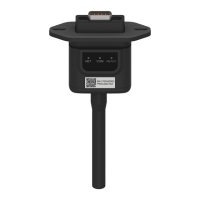
Details two types of physical logger installation methods onto inverters.
Caution against rotating the logger body during installation or removal.
Explains the implications and instructions for NET, COM, and READY indicator lights.
Describes the expected status of indicator lights for normal network and inverter connection.
Table mapping indicator light patterns to fault causes and solutions.
Covers issues like connection loss, abnormal networking, and power supply problems.
Details short and long press operations for networking, rebooting, and factory reset.
Important notice to not remove the waterproof plug during reset operations.
Steps for user registration and account creation within the SOLARMAN Smart App.
Instructions for adding a new plant and its basic information in the app.
Ensuring the mobile device is connected to the correct WiFi network before configuration.
Procedure for connecting to the logger's Access Point network.
Information on unsupported WiFi features like 5G and special characters in network names/passwords.
Procedure for awaiting configuration completion and navigating to plant data.
Guidance on resolving common issues that prevent successful auto configuration.
Ensuring the logger is functioning correctly before leaving the site.
Details on required information for contacting customer support for technical queries.
 General
| Brand | SolarMAN |
|---|---|
| Model | LSW-3-C |
| Category | Data Loggers |
| Language | English |


 To Next Page