1
SOLARMAN WiFi Logger Installation and Smart App Connection
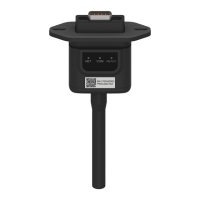
- Connect the WiFi Stick logger LSW-5 to the PhG Inverter’s port “COM”. Logger COM light is On/Steady and
Ready is flashing.
Download APP Customer can select
- Download the Solarman Smart App on their smart phone or
- Scan QR code on App Store: SOLARMAN Smart Google Play Store: SOLARMAN Smart
- Type and go to https://smartenergy.phasegreen.com/login
1.Registration Customer open the App and click “Register.” Enter First and Last name, email, etc…
The customer mailbox will receive a Verification Code. Input the Verification Code.
3. Password to be
simple 6-8 letters and
numbers. NO Special
Characters.
Check the block and
tap “Done”.
1. Customer email and
a password for App
login.
2. After click “Send”,
Customer will receive
Verification Code in
the email box.

 Need help?
 General

 To Next Page