Remote Control: GPIB & RS423 1260 Impedance Gain-Phaze Analyzer
7-16 12600012_Gmacd/CB
7.5 REMOTE/LOCAL CONTROL
The REMOTE/LOCAL facility enables the instrument to receive commands from either
a remote or a local source. The remote facility is provided by the GPIB interface and
has priority over local control.
The instrument offers two forms of local control:
Local 1 Commands accepted from the instrument front panel and/or from the serial
interface. The two sources have equal priority.
Local 2 Commands accepted from the RS423 port only. No settings can be changed
from the front panel, but the LOCAL key and the ON/OFF switch are still
operative. The Menu keys can be used to examine, but not alter, the state of
the controls.
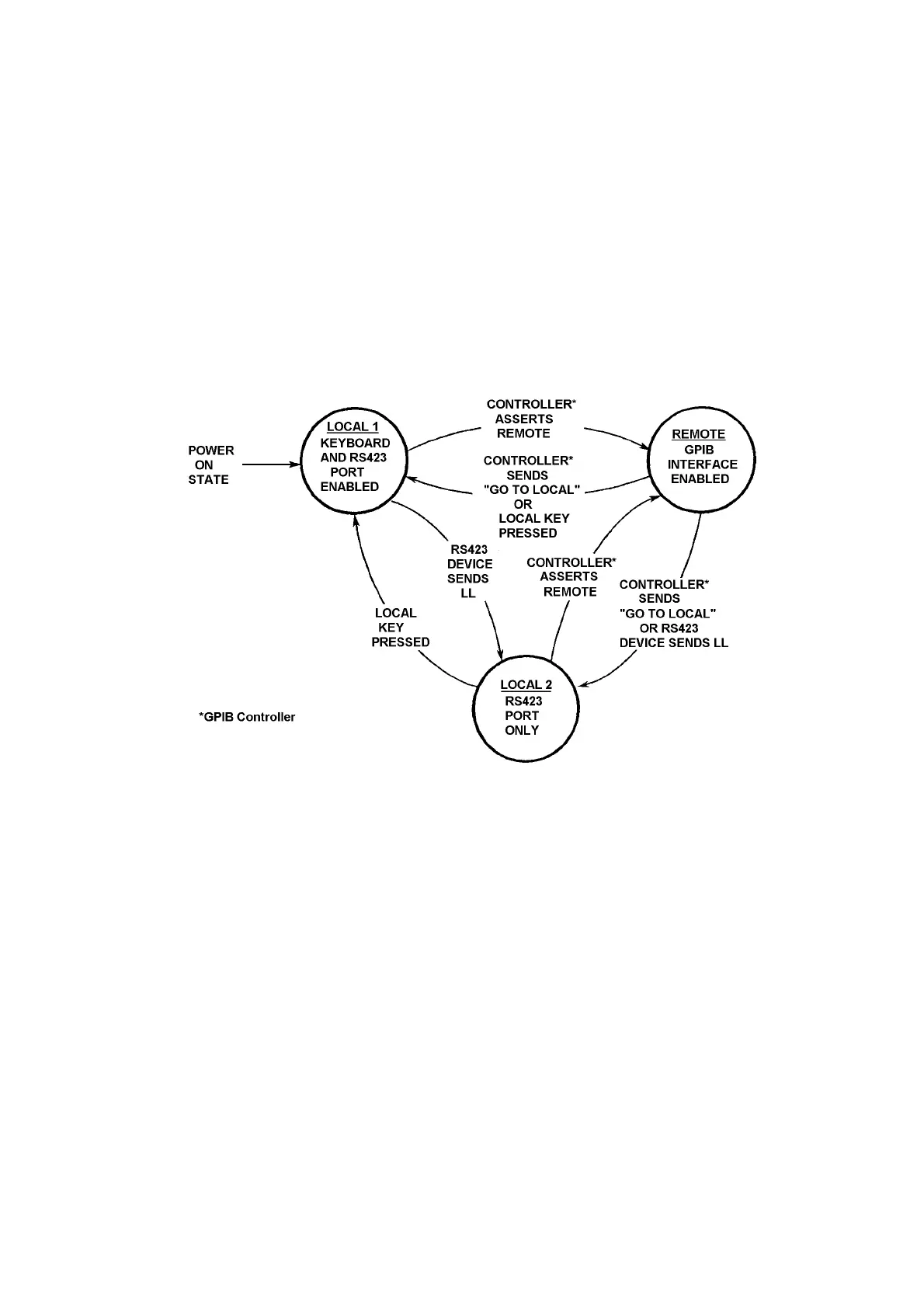
Figure 7.6 - REMOTE/LOCAL state diagram
The instrument powers up in LOCAL 1. Many GPIB controllers, however, automatically
assert remote on power-up, in preparation for remotely controlling the system.
Therefore, if the instrument is used in such a system it may be necessary to press the
LOCAL key to allow local commands to be accepted. Figure 7.6 shows how the
instrument control state is selected.
The program instructions for selecting LOCAL and REMOTE from the GPIB can be
found in the GPIB controller operating manual. Note that a command to ‘Go to Local’
reselects the local state in use prior to the selection of REMOTE.


 To Next Page
 Loading...