6
Main Parts and Relevant Function
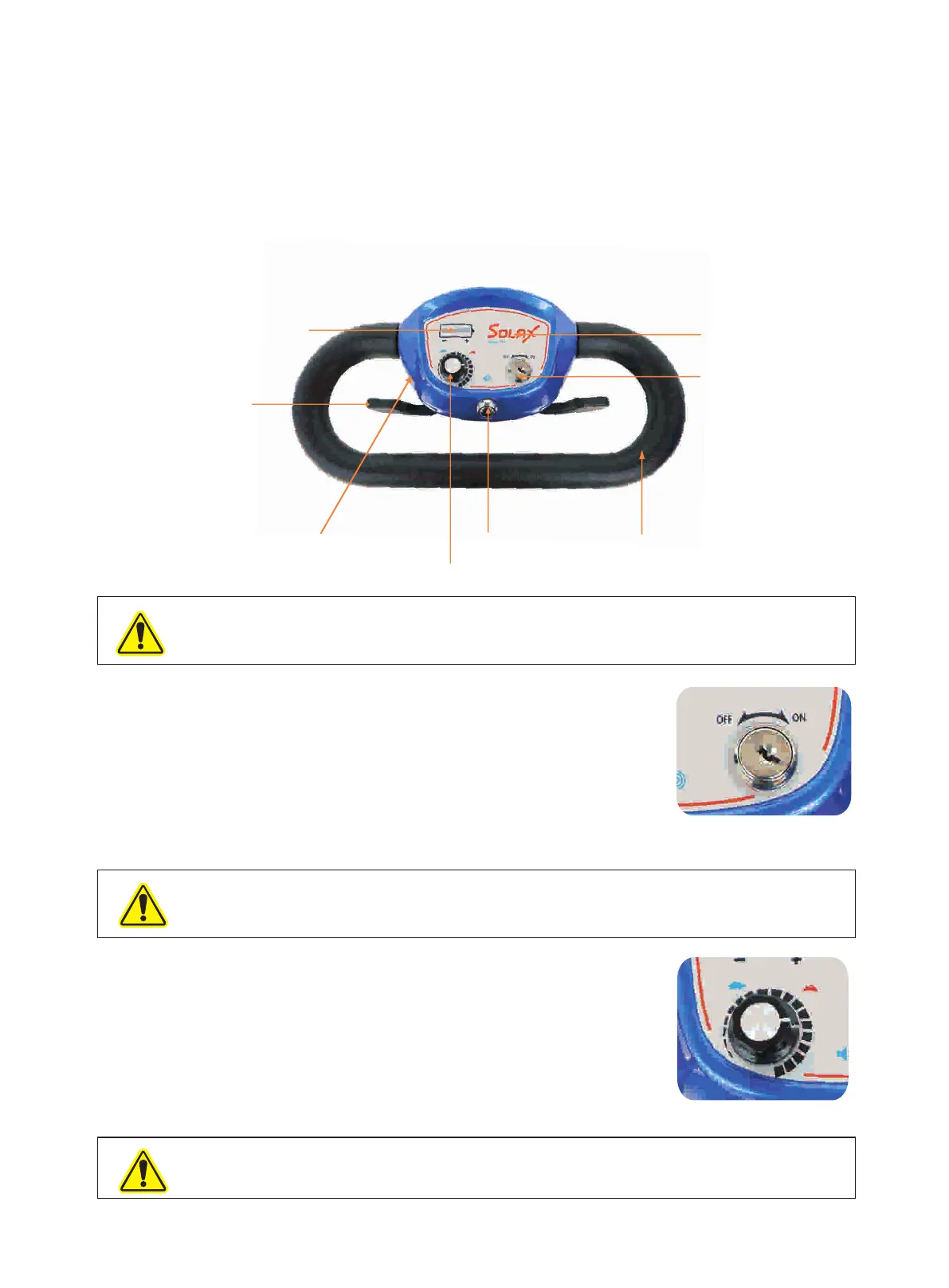
Control Panel
The control panel is an operating controlling component, which is mainly to control the connecting and cutting
of power switch (Key the power, moving forward and backward as well as show the battery level. It consists of
switch indicator, control panel, / rocker switch), speed control switch, direction control lever, battery condition
top and bottom cover, etc.(Fig.6 )
Battery Condition
Indicator
Direction
Control Lever
Top and Bottom Cover
Speed Control Switch
Horn Button
Handle
Key Switch
Control Panel
Fig.6
Notice: Do not put the control panel in the humid area. If the control panel has been affected by moisture
before using, please ensure it is dry when you operate it.
Power Switch
Key switch (Fig.7 )
1. Turn the key switch clockwise to ON, can drive.
2. Turn the key switch anticlockwise to OFF, can't drive. Please turn the
power off when stop driving.
Warning: If turn off the battery during operating. The electromagnetic brake will
scooter will stop suddenly.
be locked and your
Speed Controller (Fig.8 )
The speed controller is used for controlling the speed when
driving. You can set the speed from 0km/h to 6km/h. When you
adjust the knob to the left end (the tortoise ), it's the minimum
speed; when you adjust the knob to the right end (the rabbit),
it's the maximum speed.
Warning: when you turning or driving backward, please do not adjust the speed
to the maximum speed.
Fig.8
Fig.7



 To Next Page