1. Launch the applicaon MySOLEM on your smartphone or tablet.
2. Tap on the «Add module» buon or the «+» buon.
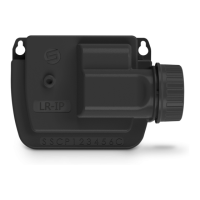
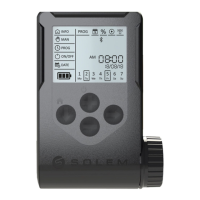
3. Choose WooBee from the list of nearby controllers.
Follow the next steps described in the applicaon.
Notes :
- Set a name and security key for your controller and press the buon «Validate».
- To idenfy your WooBee among the controllers available nearby, refer to the «Default name»
on the label xed to the back of the product.
- To benet from all the features of WooBee it is recommended to create an account MySOLEM.
WooBee OPERATION WITH BLUETOOTH
ASSOCIATION
On your smartphone or tablet, go to «App Store» ou «Google Play».
Download the l’applicaon MySOLEM.
SECURITY KEY
The security key protects your controller.
a/ Set key.
You can set it during the «ASSOCIATION» process or through the product informaon via the
icon at the top right of your screen. The key locks the keypad 1 minute aer the WooBee
goes to sleep.
PROGRAMMATION
Select the previously associated WooBee. The programming is intuive, go into the various
menus.
2
FIXATION
The WooBee can be installed directly on the solenoid of the solenoid
valve with its removable support on the back.
It can also be xed on a vercal wall with its 2 xing holes on the back.


 To Next Page