5
1. Download the App (works only with iOS & Android devices)
Please locate the in your Google Play store or
to download the soliom+ App.
SOLIOM+ App store
In-App Setup
Make sure the distance between your phone,router
and the camera is no more than 1.5 feet when you're
ready to pair the camera.Ensure that the Wi-fi signal
strength on your phone is good.
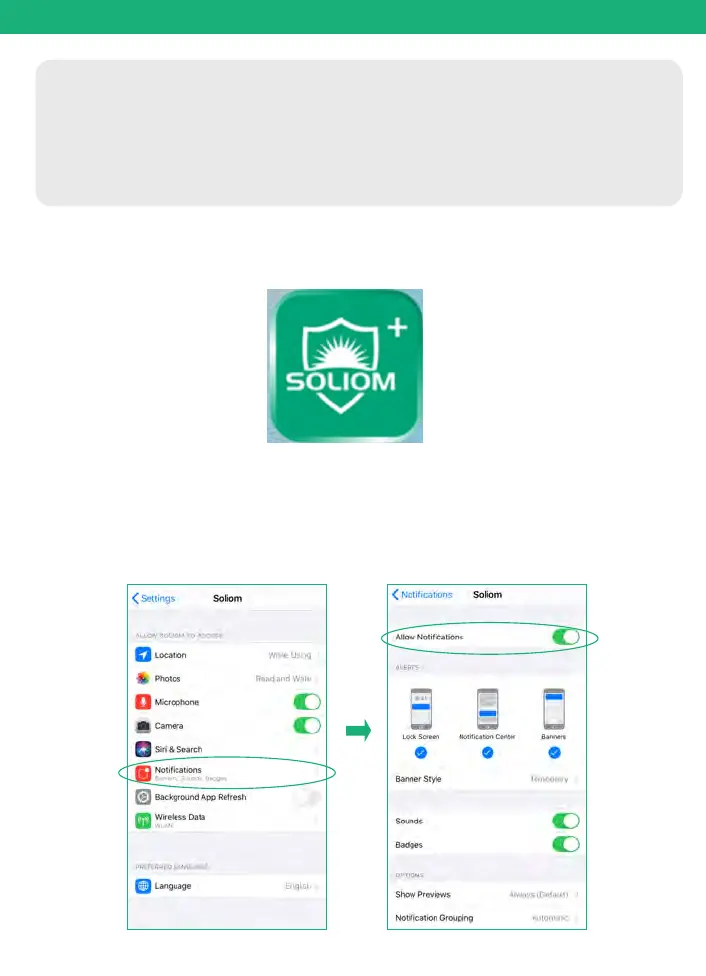
Tips:Please Allow below 2 permissions when use this App at first time.
1. Allow"SOLIOM+" use mobile cellular data and wireless LAN,
otherwise it may be failed to add S90 camera.
2. Allow "SOLIOM+" to get system push message and location
permissions


 To Next Page