
 Need help?
Do you have a question about the Soliom S90 and is the answer not in the manual?
Steps to download and install the SOLIOM+ app on your mobile device.
Instructions for creating an account and setting up the camera location.
How to turn on the camera and start the device pairing process.
Detailed steps for QR code and sound wave configuration methods.
Common solutions for pairing issues and connectivity problems.
Step-by-step instructions for mounting the bracket securely to a wall.
 General
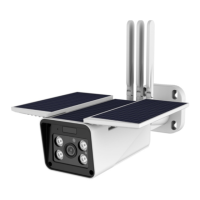
| Resolution | 1080p |
|---|---|
| Weather Resistance | IP66 |
| Audio | Two-way audio |
| Night Vision | Yes |
| Power Source | Solar-powered |
| Battery Life | Up to 6 months |
| Motion Detection | PIR motion sensor |
| Connectivity | Wi-Fi 2.4GHz |
| Operating Temperature | -20°C to 50°C |
| Storage | MicroSD card (up to 128GB), Cloud |

 To Next Page