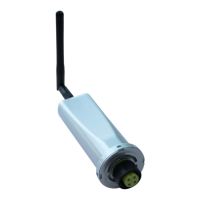
Solis Wi-Fi Dongle Connection
13 | P a g e
NOTE: If you can see the message “Settings complete please close this page manually!.”
• Just for confirmation that the setup done was right, refresh your Wi-Fi list and check
if you can still see/connected to AP XXXXXXXXXX.
▪ If it is visible, you have to do all the steps again.
▪ If it is not visible, the setup is COMPLETED.
STEP 15:
Refer to ‘m.ginlong.com setup’ PDF shared with you to create an account on the web
portal after completing all the steps.
OR
Use Solis Home app to register an account and build a plant.


 To Previous Page
 Loading...