GB GB
s
APPLIANCE DESCRIPTION
64 65
s
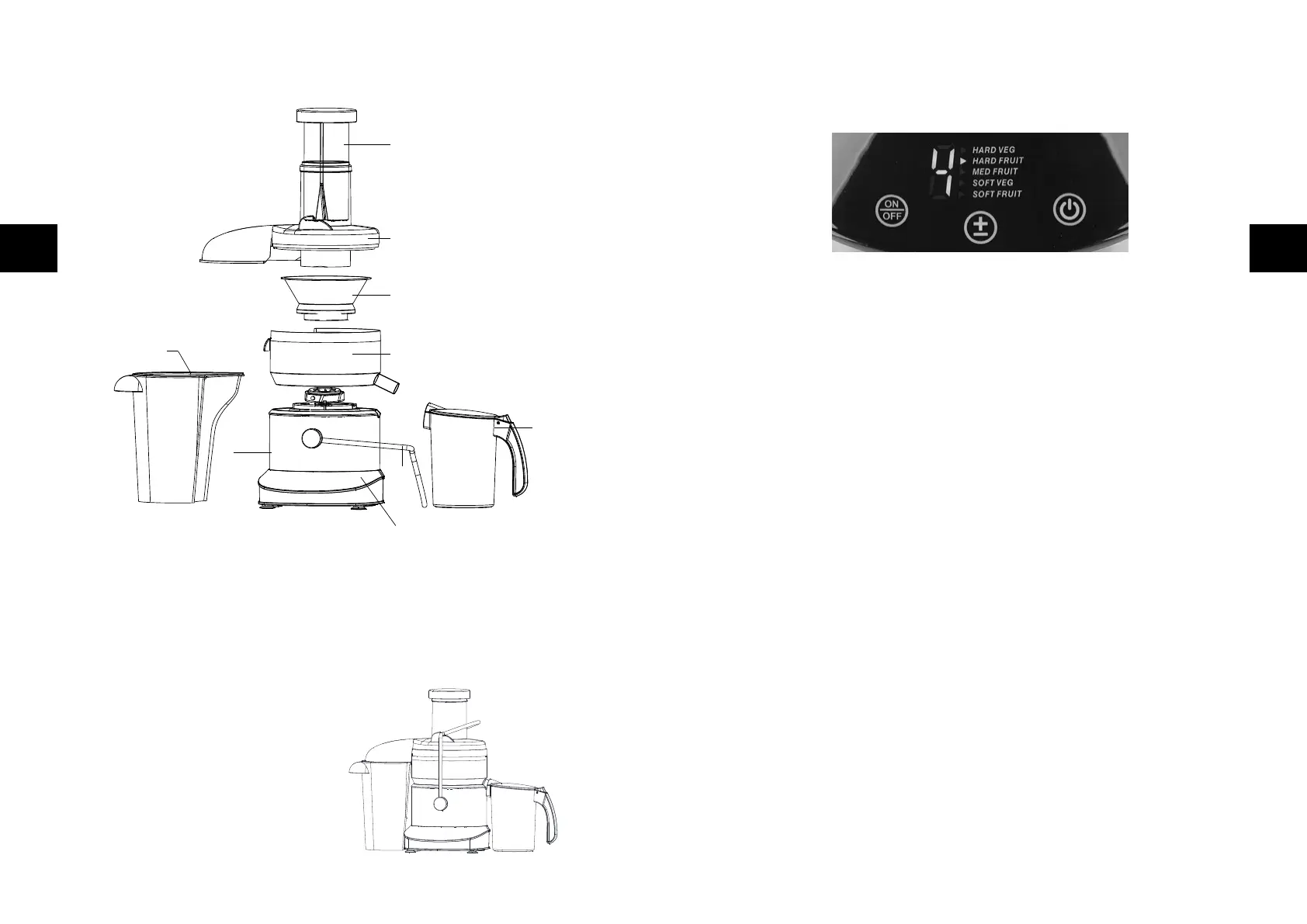
THE FUNCTION BUTTONS
AND THE DISPLAY
;
BUTTON
●
for switching the appliance on and off
Once you have connected the appliance to the power, the
;
button lights up
permanently. The other illuminated buttons are not yet lit up.
If you touch the
;
button, the other buttons light up as well. You can now
operate the +/− and the ON/OFF button.
If you want to switch the appliance off after juicing, touch the
;
button
again. All illuminated buttons apart from the
;
button go out.
+/− BUTTON
●
for setting the juicing power / speed;
5 eligible settings:
5 HARD VEG for hard vegetables
4 HARD FRUIT for hard fruits
3 MED FRUIT for medium-hard fruits
2 SOFT VEG for soft vegetables
1 SOFT FRUIT for soft fruits
ON/OFF BUTTON
●
For starting resp. stopping the rotation / juicing process
Once you have selected the juicing power with the +/− button, touch the
ON/OFF button and the appliance starts rotating resp. juicing.
If you want to stop or interrupt the juicing process, touch the ON/OFF button
again to stop the rotation.
Note: All function buttons are touch-sensitive sensor buttons and only have to be
gently touched to be activated.
DISPLAY
●
Displays the 5 possible settings and the number indicating the currently selected
setting.
A
C
B
G
E
F
H
I
D
A Tamper
B Cover with funnel
C Sieve with grating blades
D Juicer bowl
E Clasp
F Motor unit
G Control panel
Accessories:
H Juice jug with foam separator
(removable) and hinged lid
I Pomace container



 To Next Page