What does 'UN-G-F01/02' mean on my SOLIS S5-EH1P3K-L Inverter?
- JjodicortezSep 23, 2025
If your SOLIS Inverter displays 'UN-G-F01/02', use user define function to adjust the protection limit if it’s allowed by electrical company.
What does 'UN-G-F01/02' mean on my SOLIS S5-EH1P3K-L Inverter?
If your SOLIS Inverter displays 'UN-G-F01/02', use user define function to adjust the protection limit if it’s allowed by electrical company.
What to do if my SOLIS S5-EH1P3K-L shows 'No power'?
If your SOLIS Inverter displays 'No power', begin by verifying the PV input connections. Then, check the DC input voltage, ensuring it exceeds 120V for single-phase or 350V for three-phase systems. Also, confirm that the PV'+/-' connections are not reversed.
How to fix an 'ARC-FAULT' error on my SOLIS S5-EH1P3K-L Inverter?
If your SOLIS Inverter displays 'ARC-FAULT', inspect the PV connections for any signs of arcing and then restart the inverter.
What causes an 'Over-Load' error on my SOLIS S5-EH1P3K-L Inverter and how can I fix it?
If your SOLIS Inverter displays 'Over-Load', check whether the load of the Backup port exceeds the rated output power. If it does, reduce the load and then restart the inverter.
What does 'PV ISO-PRO01/02' mean on my SOLIS S5-EH1P3K-L and how do I resolve it?
If your SOLIS Inverter displays 'PV ISO-PRO01/02', remove all DC input, reconnect, and restart the inverter one by one. Identify the string causing the fault and check its isolation.
What does 'ILeak-PRO 01/02/03/04' mean on my SOLIS Inverter?
If your SOLIS Inverter displays 'ILeak-PRO 01/02/03/04', check both the AC and DC connections. Also, inspect the cable connections inside the inverter.
What does 'DC-INTF' error mean on my SOLIS Inverter?
If your SOLIS Inverter displays 'DC-INTF', try restarting the inverter. If the issue persists, identify and remove the string connected to the faulty MPPT. As a last resort, consider changing the power board.
What does 'GRID-INTF01/02' error mean on my SOLIS Inverter?
If your SOLIS Inverter displays 'GRID-INTF01/02', try restarting the inverter. If the issue persists, consider changing the power board.
How to resolve 'OV-DC01/02/03/04' error on SOLIS Inverter?
If your SOLIS Inverter displays 'OV-DC01/02/03/04', reduce the number of modules in series.
What does 'OV-BUS' mean on my SOLIS Inverter?
If your SOLIS Inverter displays 'OV-BUS', check the inverter inductor connection and the driver connection.

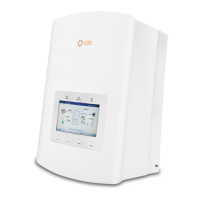
Details the Solis S5-EH1P-L Series hybrid inverter, its modes, and models.
Lists all items included in the inverter's packaging for verification.
Defines DANGER, WARNING, CAUTION, and NOTE indicators used in the manual.
Provides essential safety instructions for connecting and operating the inverter.
Outlines specific conditions and standards for inverter installation and use.
Describes the 7-inch color screen and its display capabilities.
Explains the function of the four keys on the inverter's front panel.
Illustrates the location and purpose of various terminal connections on the inverter.
Provides criteria for choosing an optimal and safe installation location.
Details the steps and requirements for securely mounting the inverter.
Guides on connecting PV strings, including voltage and polarity checks.
Instructions for connecting the battery, including polarity and secure connection.
Step-by-step guide for assembling and connecting AC output connectors.
Information on connecting Acrel or Eastron meters for monitoring and control.
Instructions for assembling RS485 and CAN communication cables.
Details on how to properly establish an external ground connection.
Explanation of DRED port functionality and RJ45 connector assembly.
Guidance on installing an external RCD if required by local regulations.
Overview of Wi-Fi and GPRS monitoring connection options.
Recommended OCPD ratings for AC grid connection protection.
Information on PV insulation monitoring and earth fault alarm handling.
Explanation of the meaning of POWER, OPERATION, and ALARM LED indicators.
Describes the initial language setting process upon powering up.
Lists the four main submenus available in the inverter's menu.
Details how to view operating data and information across three pages.
Overview of adjustable settings like Time/Date, Address, and Language.
Instructions for setting the inverter's time and date accurately.
Procedure for setting the inverter's slave address for communication.
Options for changing the system language to Chinese or English.
Lists detailed information categories available for viewing.
Shows alarm messages that may lead to inverter shutdown.
Displays running messages for maintenance personnel, like internal temperature.
Information on inverter model number and software version.
Displays internal communication data for maintenance personnel.
Shows the detailed daily energy generation and consumption data.
Displays the inverter's monthly energy generation details.
Shows the inverter's yearly energy generation details.
Presents the inverter's cumulative total energy generation data.
Lists warning messages that are abnormal but do not cause shutdown.
Accesses restricted settings for authorized technicians only.
Allows selection of grid standards for compliance, e.g., AS/NZS 4777.2.
Function to start or stop the inverter's power generation.
Allows adjustment of total generating data for maintenance purposes.
Procedure for resetting the inverter's user password.
Function to reboot the inverter's LCD screen.
Section for configuring working modes and battery settings.
Allows adjustment of various battery charge and discharge control parameters.
Guide to selecting compatible battery models and configuring parameters.
Settings for selecting meter types and their installation locations.
Option to choose the specific meter model installed.
Defines the installation location of the meter (Grid, Load, Grid+PV).
Configuration of different operating modes like Self Use, Feed-in Priority, Backup.
Enables automatic battery wake-up upon detecting PV or grid power.
Function to configure export power control settings.
Determines the allowed backfeed power for system export to the grid.
Enables or disables the export power control function.
Configures failsafe shutdown upon losing communication during export.
Instructions for updating the Human Machine Interface (HMI) software.
Instructions for updating the Digital Signal Processor (DSP) software.
Allows changing the internal communication baud rate for RS485.
Accesses special settings like AFCI and EPS mode.
Configuration and explanation of the AFCI function for arc fault detection.
Details the EPS mode functionality, working with an external switching box.
Lists essential checks and preparations before inverter commissioning.
Step-by-step guide for safely starting up the inverter for the first time.
Outlines the correct procedure for safely shutting down the inverter.
Lists common alarm messages, their descriptions, and troubleshooting solutions.
Presents detailed technical data and specifications for various inverter models.
Detailed instructions for assembling battery power cable connectors.
Wiring diagram for connecting a three-phase meter.
Explains special back-up connection requirements for certain markets.
Details the logic and settings for different working modes (Self-Use, Feed-in Priority, Backup).
Information on restricted advanced settings for authorized personnel.
Describes working modes like NULL, P Mode (Volt-Watt), and Q Mode settings.
Settings for controlling power rate limits for increase and decrease.
Configuration of frequency response limits for power derating.
Setting the 10-minute average voltage protection limit.
Enables/disables DRM functionality and sets reactive power absorption.
Technical specifications of the built-in DC isolator switch.
Details the Solis S5-EH1P-L Series hybrid inverter, its modes, and models.
Lists all items included in the inverter's packaging for verification.
Defines DANGER, WARNING, CAUTION, and NOTE indicators used in the manual.
Provides essential safety instructions for connecting and operating the inverter.
Outlines specific conditions and standards for inverter installation and use.
Describes the 7-inch color screen and its display capabilities.
Explains the function of the four keys on the inverter's front panel.
Illustrates the location and purpose of various terminal connections on the inverter.
Provides criteria for choosing an optimal and safe installation location.
Details the steps and requirements for securely mounting the inverter.
Guides on connecting PV strings, including voltage and polarity checks.
Instructions for connecting the battery, including polarity and secure connection.
Step-by-step guide for assembling and connecting AC output connectors.
Information on connecting Acrel or Eastron meters for monitoring and control.
Instructions for assembling RS485 and CAN communication cables.
Details on how to properly establish an external ground connection.
Explanation of DRED port functionality and RJ45 connector assembly.
Guidance on installing an external RCD if required by local regulations.
Overview of Wi-Fi and GPRS monitoring connection options.
Recommended OCPD ratings for AC grid connection protection.
Information on PV insulation monitoring and earth fault alarm handling.
Explanation of the meaning of POWER, OPERATION, and ALARM LED indicators.
Describes the initial language setting process upon powering up.
Lists the four main submenus available in the inverter's menu.
Details how to view operating data and information across three pages.
Overview of adjustable settings like Time/Date, Address, and Language.
Instructions for setting the inverter's time and date accurately.
Procedure for setting the inverter's slave address for communication.
Options for changing the system language to Chinese or English.
Lists detailed information categories available for viewing.
Shows alarm messages that may lead to inverter shutdown.
Displays running messages for maintenance personnel, like internal temperature.
Information on inverter model number and software version.
Displays internal communication data for maintenance personnel.
Shows the detailed daily energy generation and consumption data.
Displays the inverter's monthly energy generation details.
Shows the inverter's yearly energy generation details.
Presents the inverter's cumulative total energy generation data.
Lists warning messages that are abnormal but do not cause shutdown.
Accesses restricted settings for authorized technicians only.
Allows selection of grid standards for compliance, e.g., AS/NZS 4777.2.
Function to start or stop the inverter's power generation.
Allows adjustment of total generating data for maintenance purposes.
Procedure for resetting the inverter's user password.
Function to reboot the inverter's LCD screen.
Section for configuring working modes and battery settings.
Allows adjustment of various battery charge and discharge control parameters.
Guide to selecting compatible battery models and configuring parameters.
Settings for selecting meter types and their installation locations.
Option to choose the specific meter model installed.
Defines the installation location of the meter (Grid, Load, Grid+PV).
Configuration of different operating modes like Self Use, Feed-in Priority, Backup.
Enables automatic battery wake-up upon detecting PV or grid power.
Function to configure export power control settings.
Determines the allowed backfeed power for system export to the grid.
Enables or disables the export power control function.
Configures failsafe shutdown upon losing communication during export.
Instructions for updating the Human Machine Interface (HMI) software.
Instructions for updating the Digital Signal Processor (DSP) software.
Allows changing the internal communication baud rate for RS485.
Accesses special settings like AFCI and EPS mode.
Configuration and explanation of the AFCI function for arc fault detection.
Details the EPS mode functionality, working with an external switching box.
Lists essential checks and preparations before inverter commissioning.
Step-by-step guide for safely starting up the inverter for the first time.
Outlines the correct procedure for safely shutting down the inverter.
Lists common alarm messages, their descriptions, and troubleshooting solutions.
Presents detailed technical data and specifications for various inverter models.
Detailed instructions for assembling battery power cable connectors.
Wiring diagram for connecting a three-phase meter.
Explains special back-up connection requirements for certain markets.
Details the logic and settings for different working modes (Self-Use, Feed-in Priority, Backup).
Information on restricted advanced settings for authorized personnel.
Describes working modes like NULL, P Mode (Volt-Watt), and Q Mode settings.
Settings for controlling power rate limits for increase and decrease.
Configuration of frequency response limits for power derating.
Setting the 10-minute average voltage protection limit.
Enables/disables DRM functionality and sets reactive power absorption.
Technical specifications of the built-in DC isolator switch.
Loading...