14 15
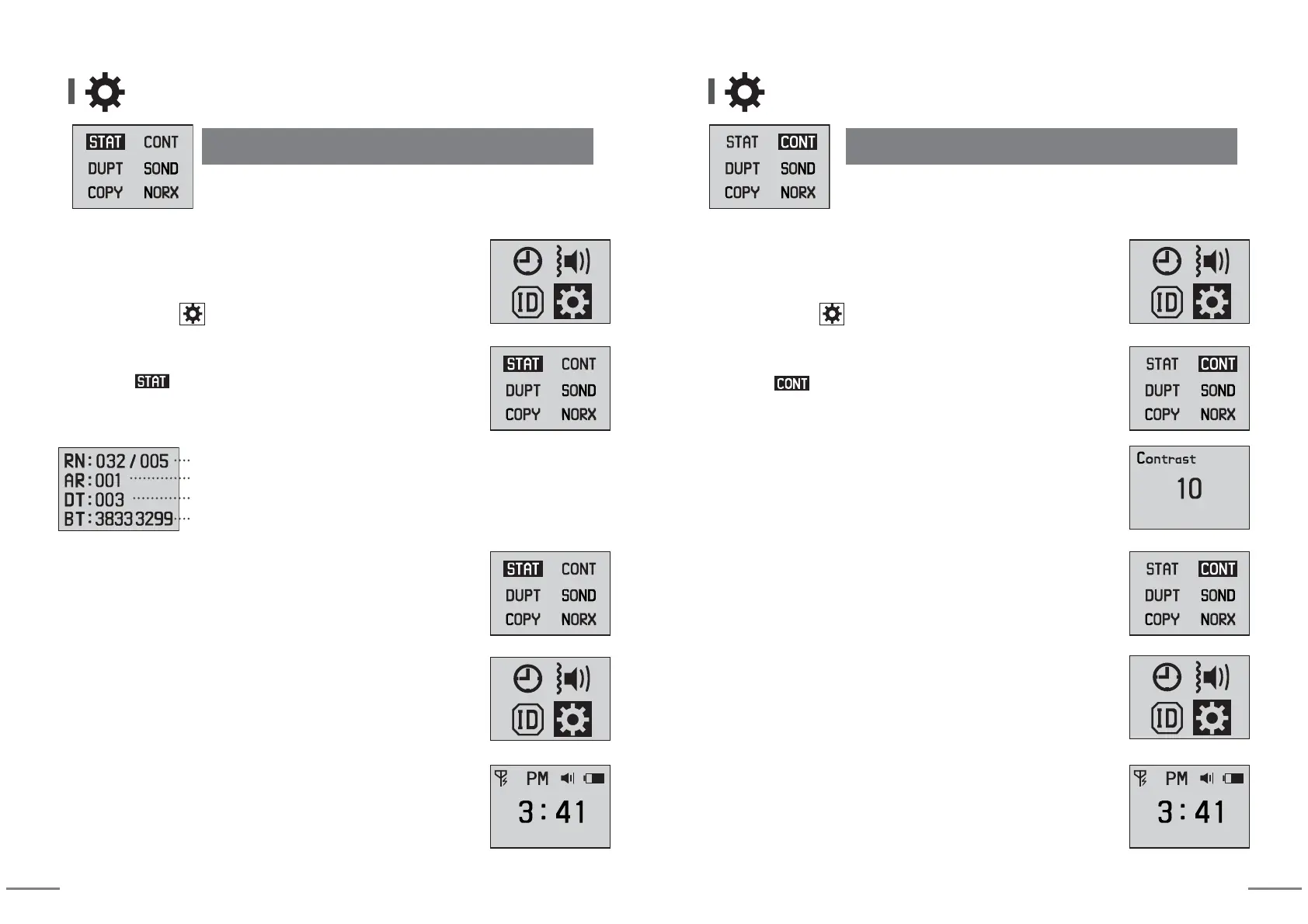
④ When pressing SET button for more than 2 seconds,
it returns to previous stage.
⑥
When you press MODE button for more than 2 seconds,
idle screen is displayed.
⑤ When pressing SET button for more than 2 seconds,
it returns to previous stage.
Total registered bells(32 bells) / Receiving-restricted bells(5 bells)
Number of call alarm repetition : call to be alarmed one(1) time
When receiving same calling numbers for 3 seconds, it is displayed only once.
Battery calibration value(Only for manufacturer's checking purpose)
③ Move to mode using arrow keys and enter into change
mode by pressing SET button.
⑴ Checking the detail set by Other Settings
Other Settings Other Settings
(2) Adjusting the contrast of LCD screen
③ Move to mode using arrow keys and enter into change
mode by pressing SET button.
④
Set desired value using arrow keys. (default setting value is 10.)
You can select it from 00 to 20.
⑤ When pressing SET button for more than 2 seconds,
it returns to previous stage.
⑦
When you press MODE button for more than 2 seconds,
idle screen is displayed
⑥ When pressing SET button for more than 2 seconds,
it returns to previous stage.
① You can enter into Setting Mode by pressing MODE button
for more than 2 seconds at idle screen.
② After moving to using arrow keys, enter into setting mode
by pressing SET button.
② After moving to using arrow keys, enter into setting mode
by pressing SET button.
① You can enter into Setting Mode by pressing MODE button
for more than 2 seconds at idle screen.


 To Next Page
 Loading...