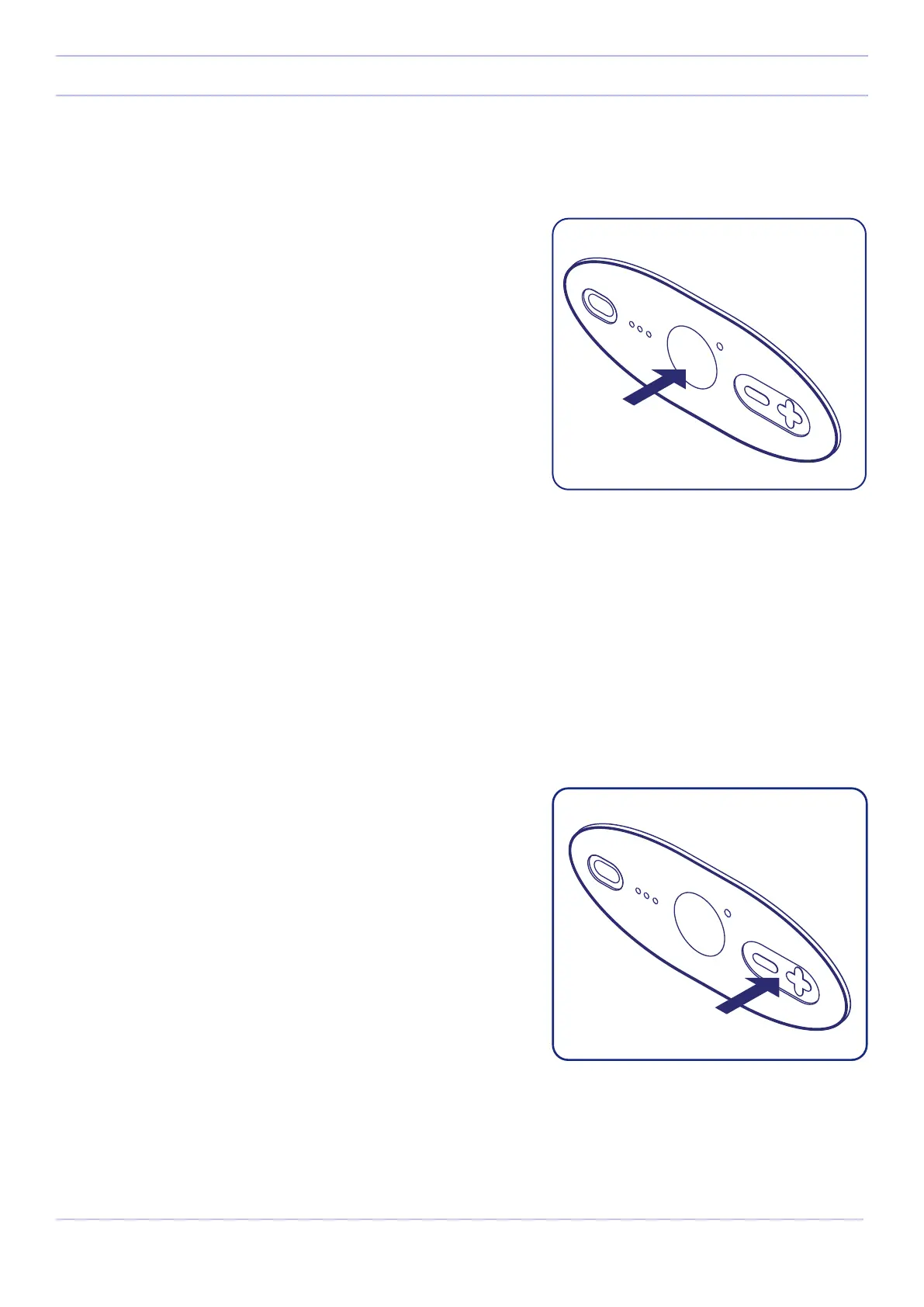
Once charged, turn on Somnox 2 by pressing the power button
on the button panel. If the status light lights up white, Somnox 2
turns on. If it does not light up and one battery indicator blinks,
Somnox 2 cannot turn on due to insucient battery level.
When it has been switched on, Somnox 2 will start breathing.
Hold Somnox 2 close to your body and breathe along with the
rising and falling sensation of its breathing. Close your eyes and
drift away to relaxation.
Basic functionalities
Turn on your Somnox 2
You can turn o Somnox 2 manually by pressing the power button shortly. A white light on the status light indicates that
the Breathe & Sleep Robot is turning o. Its breathing and sound will immediately stop.
If you do not turn o Somnox 2 manually, it will automatically turn o when the breathing program ends. The default
program is set to 60 minutes. After 60 minutes the Breathe & Sleep Robot will automatically turn o. You can adjust the
duration of the program with the mobile app.
Turn o your Somnox 2
You have the option to play sounds on Somnox 2. The default
soundtrack of Somnox 2 is “When the sun sets”. Using the mobile
app (which will be explained in the next section) you can select a
dierent soundtrack. These soundtracks are specially crafted to
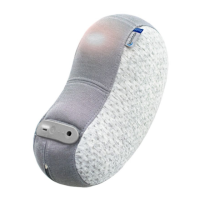
enhance relaxation. Use the button panel to adjust the volume.
Press the plus-button shortly to increase sound volume and
press the minus-button shortly to decrease sound volume.
Controlling the sound
14
Somnox © 2021
Getting started


 To Next Page