
 Need help?
Do you have a question about the Sonardyne UM-8041-C1 and is the answer not in the manual?
Explains the manual's purpose and the Radian Motion Sensor.
Details the manual's structure and organization.
Guides on using PDF reader features for navigation.
Identifies the intended audience for the manual.
Informs about manual revisions and checking for updates.
Explains how to use the PDF slider for page navigation.
Details how to use the search functionality within the PDF.
Describes how to print parts or the entire manual.
Briefly introduces the Radian Motion Sensor and its applications.
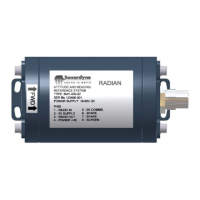
Provides a physical and functional description of the Radian instrument.
Details the available pressure housings and their depth ratings.
Lists typical applications for the Radian Motion Sensor.
Explains the communication methods supported by Radian.
Introduces the magnetic calibration procedure.
Advises on handling and safety precautions for the Radian.
Warns about sensitivity to shock/vibration and handling.
Advises on avoiding strong magnetic fields affecting calibration.
Warns about susceptibility to ESD and radiation.
Lists technical specifications of the Radian.
Lists communication and physical specifications.
Details the electrical specifications of the Radian.
Outlines the available data format specifications.
Details the warranty period and terms for the Radian.
Provides contact information for Sonardyne International Limited.
Provides essential information for quickly using Radian.
Lists and describes the components included with Radian.
Describes the standard interface tail and optional cables for Radian.
Specifies the required DC power supply range and consumption.
Guides on mounting and orienting Radian for accurate measurements.
Guides on installing and operating the Radian software.
Lists the PC system requirements for the Radian software.
Provides steps for installing the Radian software on a PC.
Introduces the installation process and stages.
Details the criteria for selecting an appropriate installation location.
Explains how to align Radian with the vessel's axes for accurate measurements.
Describes how to adjust pitch orientation and software compensation.
Outlines the steps for preparing the mounting location.
Details the steps for preparing the Radian mounting location.
Explains how to connect Radian electrically.
Describes the 8-way connection port and pin functions.
Provides steps for making electrical and communication connections.
Introduces the Radian operation chapter.
Explains how Radian powers on and performs self-tests.
Guides on using the software for configuration and display.
States the purpose of the Radian software.
Guides on using the software for configuration and display.
Details the steps for operating the Radian software.
Instructions on launching the Radian software.
Describes the initial display of the Radian software.
Details how to connect Radian to the PC.
Explains the graphical display screens for Radian.
Explains the Attitude display screen in Heading-up mode.
Describes the 3D Attitude display and its options.
Provides steps to restore communication if it is lost.
Details the dialog for restoring communication.
Explains the need for magnetic calibration due to field distortions.
Details the procedure for magnetic calibration.
Steps for performing magnetic calibration.
Configure mapper, scan for Radian, select output directory.
Choose mapping mode and start data capture.
Examine calibration report and save results to Radian.
Lists common issues and their solutions during calibration.
Basic checks and resetting Radian for troubleshooting.
Ensure PC COM port is working and not held by other programs.
Test MagField Mapper and use restore communication tool.
Close Radian Tool, clear settings, and restart/reinstall.
Introduces the data output formats available from Radian.
Details industry-standard data output formats.
Details the Simrad EM1000 data format.
Details the TSS2 data format.
Explains the status flag within the TSS2 data.
Provides additional information about the TSS2 data format.
Details NMEA 0183 standard data output formats.
Details the NMEA 0183 $PRDID data format.
Details the NMEA 0183 $HCHDG data format.
Details the NMEA 0183 $HCHDM data format.
Details the NMEA 0183 $PHTRO data format.
Introduces the maintenance section and Radian's sealed nature.
Lists basic routine tasks for maintaining Radian.
 General
| Brand | Sonardyne |
|---|---|
| Model | UM-8041-C1 |
| Category | Accessories |
| Language | English |

 To Next Page