BLUETOOTH KEYBOARD – USER MANUAL
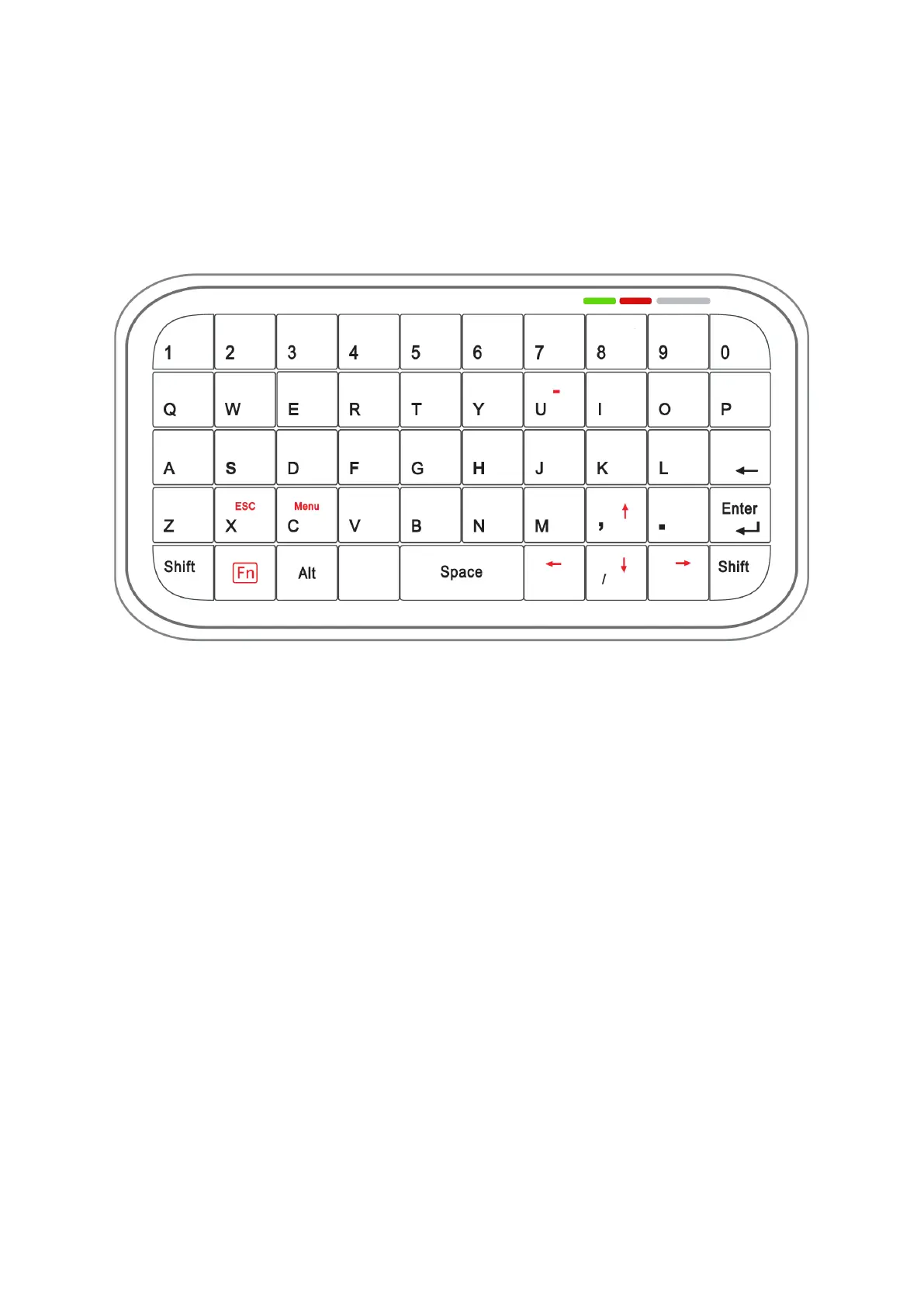
Access to the extended keyboard characters
Note:
Not all characters and symbols on the keyboard are supported by the MPI-530 / 530-
IT meter. Symbols used in MPI-530 / 530-IT are shown in Fig. 2.
Fig. 2. The view of the keys used while cooperating with the MPI-530 / 530-IT meter.
1. Access to the characters and features described on the keyboard in red is
obtained by pressing and holding the Fn key before pressing the target key.
2. For capital letters, press and hold the Shift key before pressing the letter
button.


 To Previous Page