Turn On
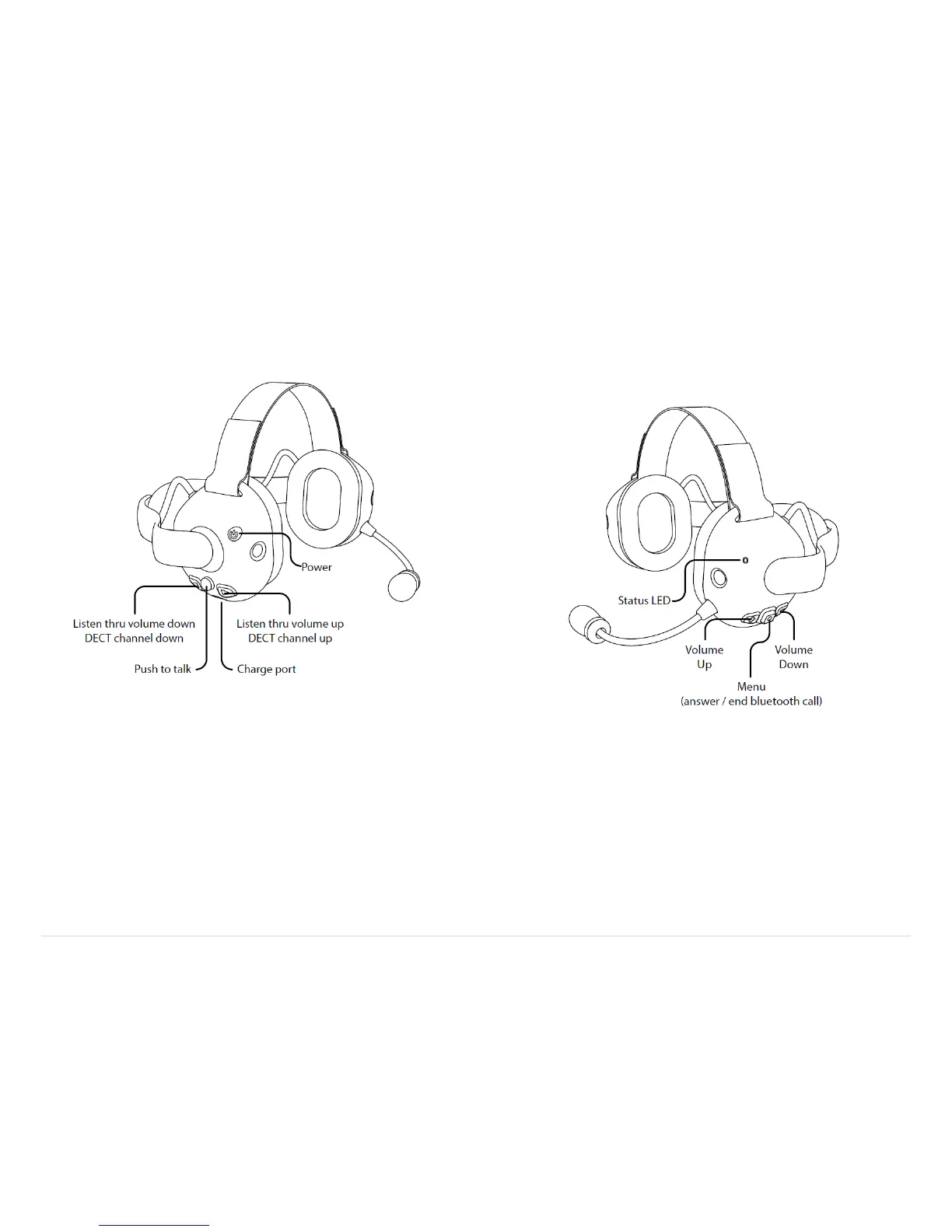
Press and release the power ⏻ button. You will hear the welcome message and the
LED on the right hand side of the unit will begin to flash periodically.
Turn Off
Press and release the power ⏻ button. You will hear the headset powering down
message and the LED will turn off.
Left Side
Adjusting the Main Volume
Press the plus or minus – sign button on the left-hand side of the headset.
Adjusting the Listen Thru Volume / DECT Channel Select
Press the forward or back sign button on the right-hand side of the headset.
Pressing simultaneously the forward or back sign buttons will toggle between
Listen Thru and DECT Channel if the headset has a DECT connection.



 To Next Page