console
X0 X1
wan
lan
Quick Start Guide
Check Package Contents
Verify that your package includes the following
contents:
SonicWALL NSA 250M or NSA 250MW Series
Appliance
Ethernet Cable
Standard Power Adaptor and Cord
DB9 -> RJ45 (CLI) Cable
* Wireless Antennas (3) included with NSA 250MW only
3
Connect the SonicWALL NSA 250M/MW series
appliance to the network using standard
Ethernet cables as shown in the illustration.
4
In a Web browser, navigate to
http://www.mysonicwall.com/
If you do not have a MySonicWALL account,
click the Not a Registered User? link to
create an account.
Under the Quick Register section of your
MySonicWALL account, enter the Activation
Key or Serial Number of the SonicWALL NSA
series appliance you are registering.
Conrm your serial number, enter a friendly
name for your appliance, and enter your
authentication code in the Quick Register >
Add New Product section.
Click Register.
2
Navigate to http://192.168.168.168/
in a Web browser.
The Setup Wizard takes you through several
basic steps to get your SonicWALL NSA series
appliance congured for your network.
Power cords are included with units in North
America only.
1
Connect the SonicWALL NSA Appliance
Register
Configure the Management Host &
Setup Wizard
SonicWALL NSA Series Appliances
Registration MUST be completed prior to
connecting to the appliance.
http://www.mysonicwall.com
http://192.168.168.168/
After the Setup Wizard, the appliance may
reboot. Please wait a few minutes while the
appliance reboots to save the updated settings.
security
on/act
wlan
X3 X4
X2
X1
X0
W0 M0
lan wan
U0/U1
10/100/1000
10/100/act
1000/act
Network Security Appliance
*
lan wan
Internet router
or modem
Internet
Service
Provider
Connect the included power cable and adaptor,
and plug into an appropriate outlet.
The NSA 250M/MW series appliance powers on
and the orange “test” LED blinks during the
boot sequence. Continue to Step 4 when the
“test” LED is no longer lit.
This process may take up to 2 minutes.
2 min
http://192.168.168.168/
http://192.168.168.168/
NSA 250 MW
NSA 250 MW
security
on/act
wlan
X3 X4
X2
X1
X0
W0 M0
lan wan
U0/U1
10/100/1000
10/100/act
1000/act
Network Security Appliance
NSA 250 MW
security
on/act
wlan
X3 X4
X2
X1
X0
W0 M0
lan wan
U0/U1
10/100/1000
10/100/act
1000/act
Network Security Appliance
With your computer connected to the X0 port
on the SonicWALL appliance, congure your
IP with an address on the 192.168.168.0/20,
such as 192.168.168.20.
120V AC
(U.S.)
console

 Need help?
 General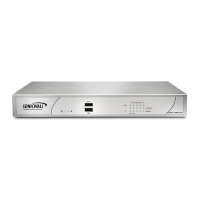

 To Next Page