Cabling the SonicWall TZ400W as a Network Gateway
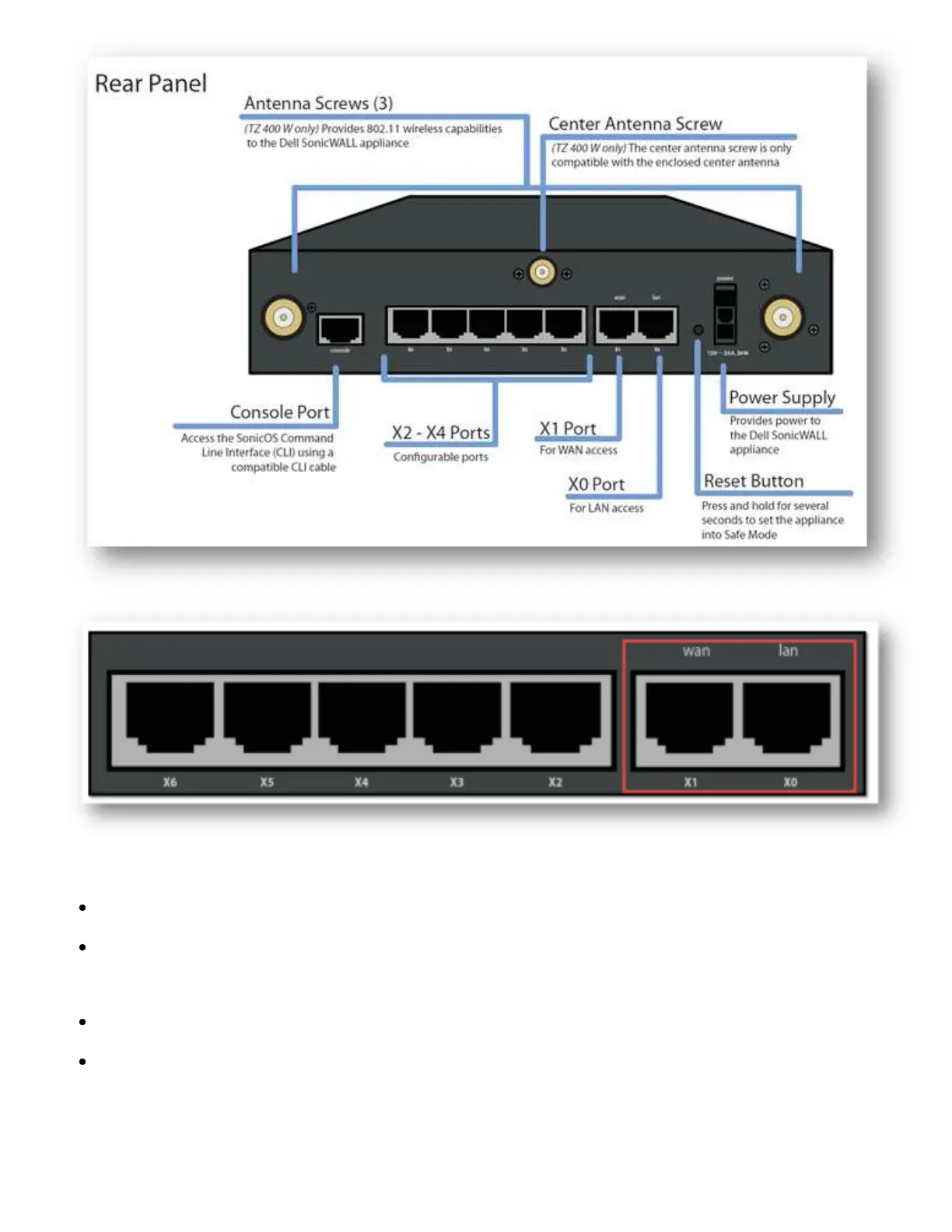
Locate the SonicWall ports X0 and X1, port X0 is also label as LAN and port X1 is also label as WAN.
Connect your Internet access device such as a cable or DSL modem to SonicWall WAN (X1 port).
Connect SonicWall LAN (X0 port) to your laptop or PC or to a Network Switch that to which your
network devices such as PCs, game consoles, Smart TVs, etc are connected.
Other ports such as X2, X3þÿ & can be assign to other networks.
Cabling Topologies


 To Next Page