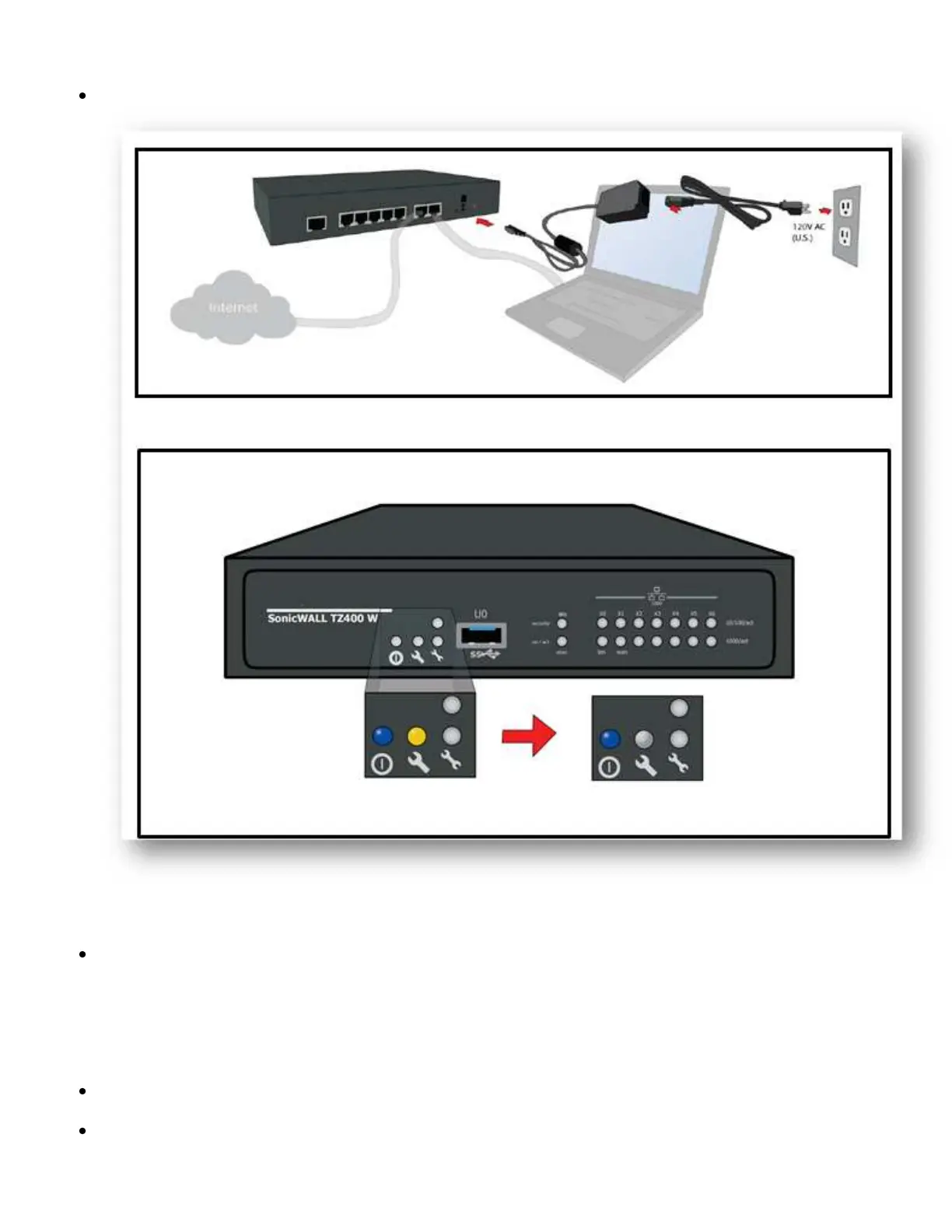
Power On SonicWall TZ400W
Plug the power cable into an appropriate power outlet (110 - 240 volts).
Appliance powers on and the orange LED blinks during the boot sequence. This process may take up to 2
minutes.
Access the SonicWall Admin User Interface
Connect a PC to the SonicWall LAN (X0) interface or a network switch connected to the LAN interface.
You will automatically receive an IP address from the SonicWall appliance.
Open a browser to https://192.168.168.168 for access to the SonicWall.


 To Next Page