Editing Sequences
Steps that have notes, parameter locks and other data already input
can be selected and edited.
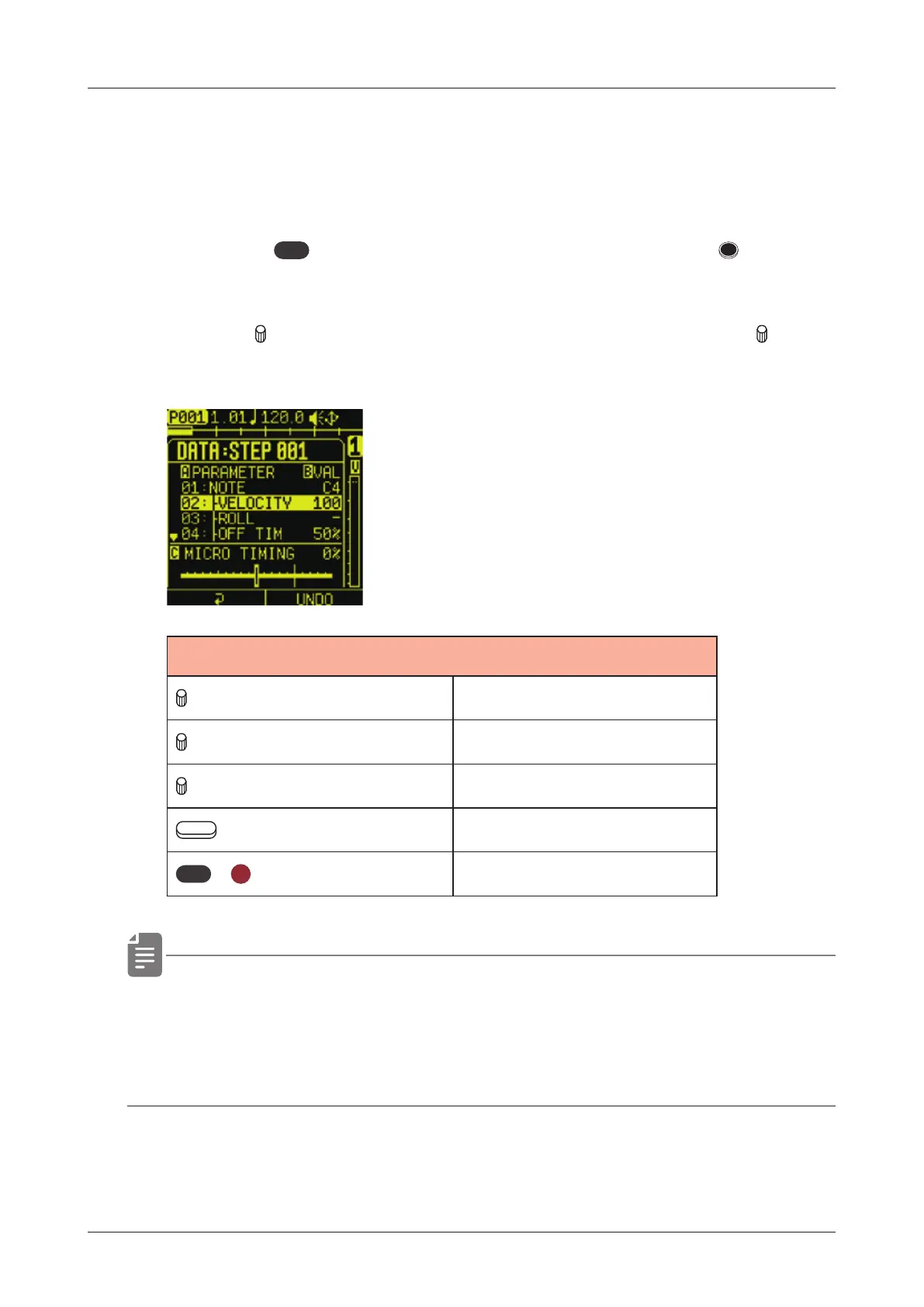
Editing step data
1
Press the
func
button at the same time as a key for a STEP
that already has data input to open the STEP DATA MENU.
2
Use the
A knob to select the parameter to edit and turn B to
adjust the parameter.
STEP DATA
A knob Data selection
B knob Adjust parameter
C knob Adjust MICRO TIMING
Auxiliary right button UNDO, REDO
func
+
CLR
Delete selected data
• UNDO/REDO can be used on the most recently adjusted
parameter or deleted data.
• The direction L-R buttons can move to select step.
100



 To Next Page