WELCOME
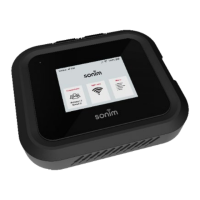
Welcome to your new Sonim H500 5G Mobile Hotspot. This guide will
help you set up and start using your device quickly and easily. You'll also
learn everything there is to know about using the features of the device,
safety and handling, and more. Follow the steps below to connect to
Verizon’s 5G network, configure settings, and connect your devices to
enjoy fast and reliable internet access from virtually anywhere.
What’s in the box
The Sonim H500 5G package includes:
• Sonim H500 5G Mobile Hotspot
• 6000mAh Li-ion Battery
• Charger
• USB-C Cable
• User Quick Start Guide
• SIM Card (pre-inserted into the device)
• Battery door lever
SYSTEM REQUIREMENTS
The Sonim H500 5G must have cellular data service to function and is
compatible with all major operating systems and the latest versions of
browsers.
• Compatible with Google Chrome®, Firefox®, Internet Explorer®,
Safari™, and Mobile Safari™
• Devices must support Wi-Fi to use in Wi-Fi mode


 To Next Page
 Loading...