Quick Start Guide – XP5s 7/18/2018
Page 12 of 17
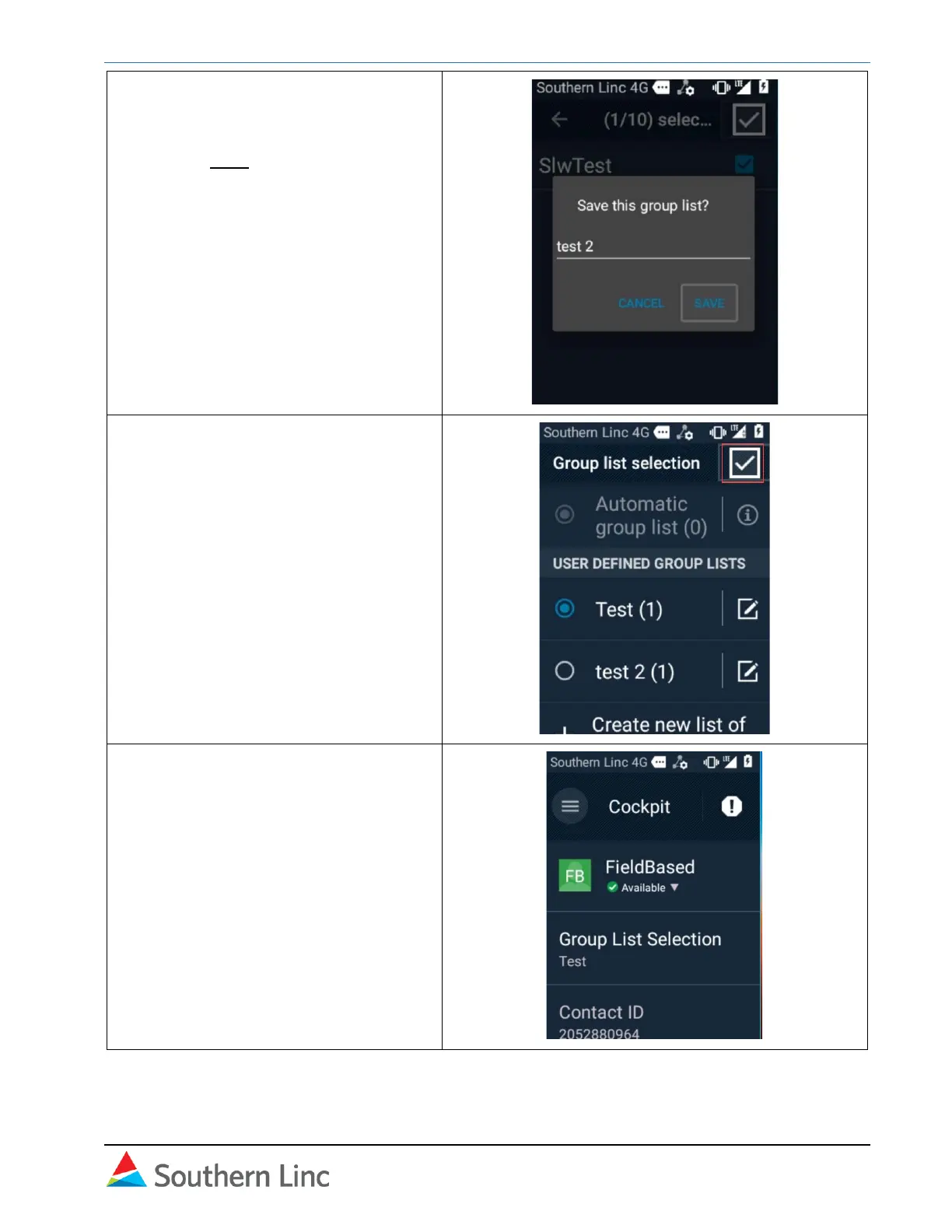
16. Type the list name. Use # to toggle
between text modes as needed.
Select Save.
17. Confirm the list by selecting the
checkmark on the Group List
Selection screen.
You should return to the Cockpit
automatically. If not, select the back
arrow in the top left corner.
18. Registration and initial setup is
complete.



 To Next Page