Quick Start Guide – XP5s 7/18/2018
Page 13 of 17
LINC PTT SETUP
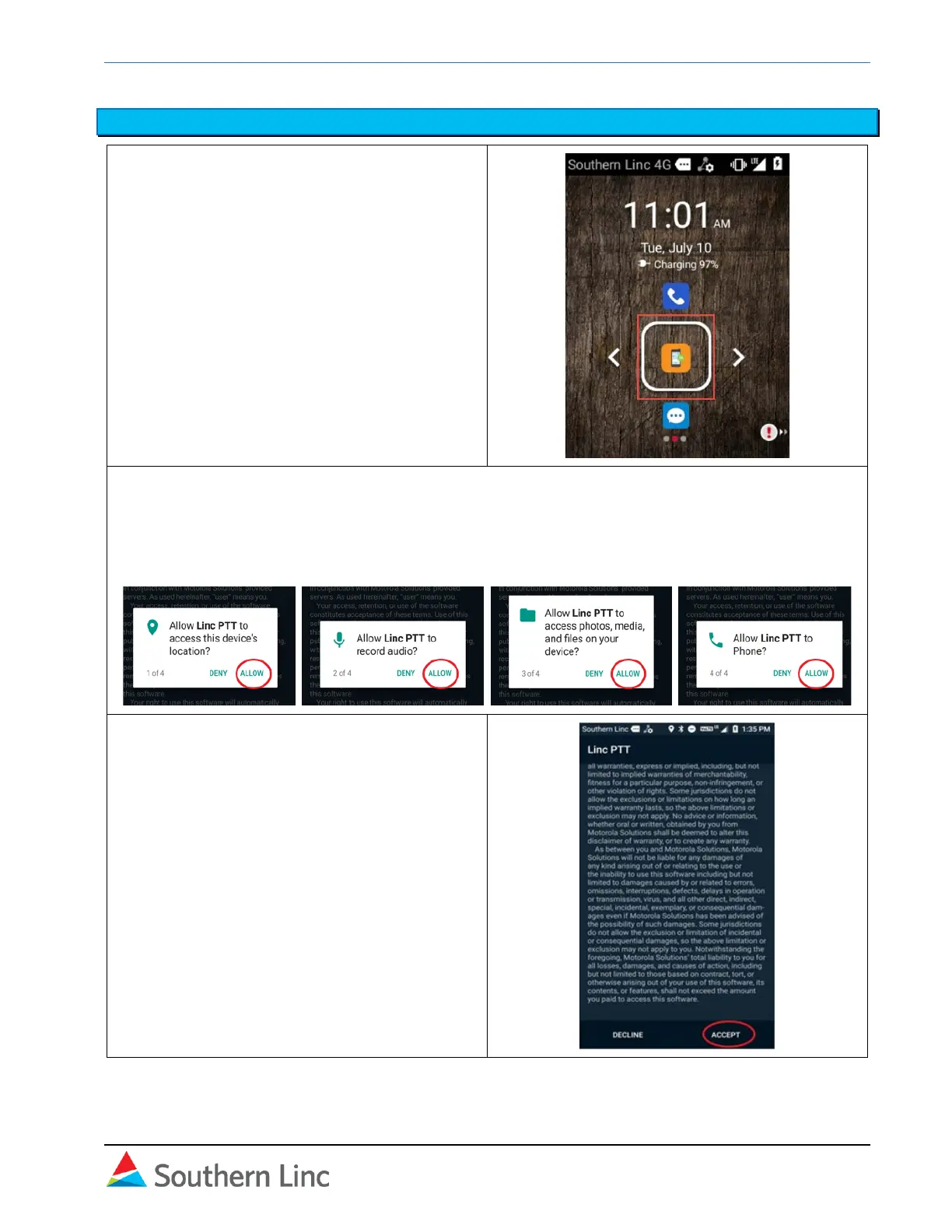
1. Select the Linc PTT application from the
home screen.
2. In the next screen, select and use OK
button to Allow Linc PTT access to
location, audio, files, and phone.
3. The next screen is the End User License
Agreement (EULA). Scroll to the bottom
and select Accept.



 To Next Page