Other Features
-21-
*
*Press green button to delete all of program you scheduled
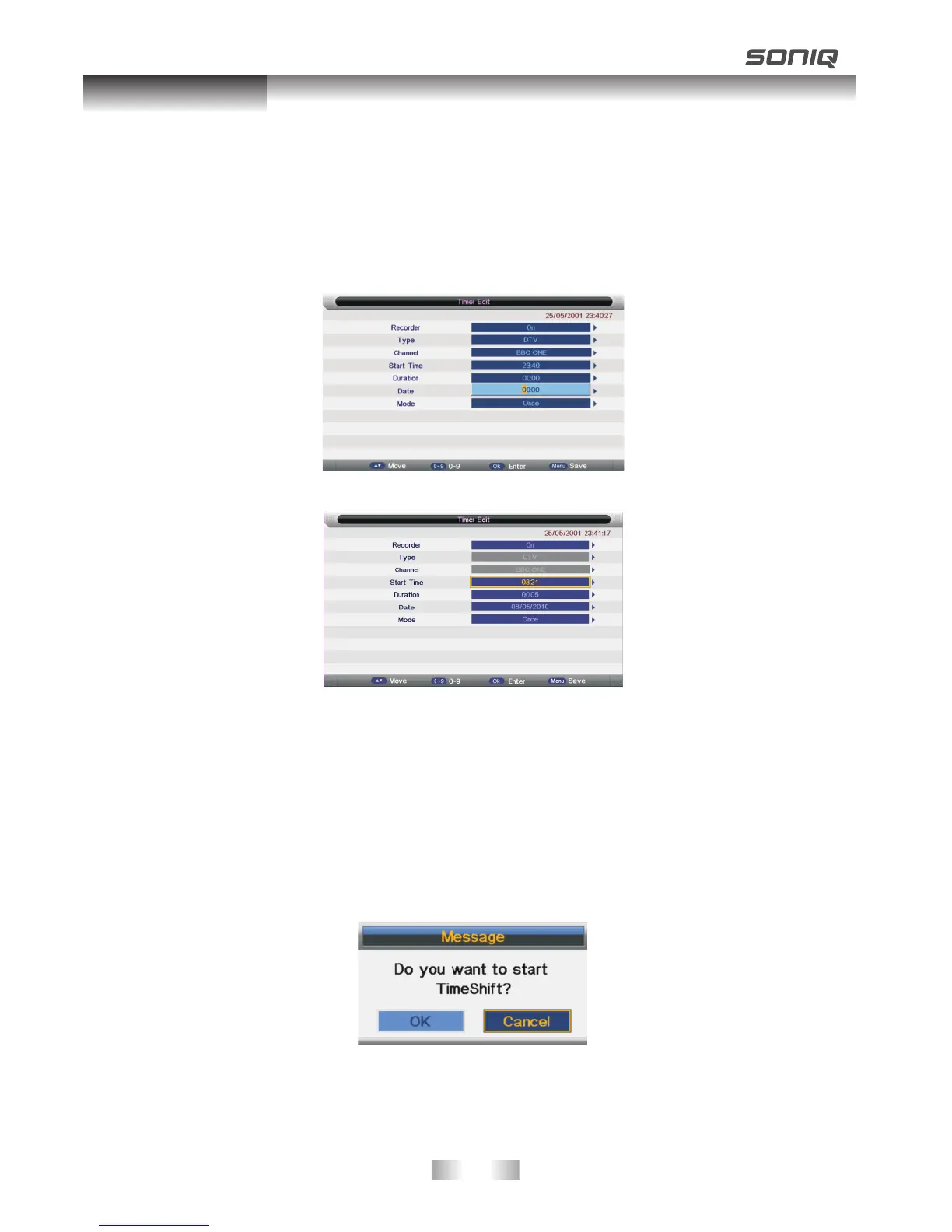
*Press yellow button to add new schedule recording program, then dialogue box would be
popped up as shown below, please note that set the recorder as ON and Type as DTV.
Then make adjusting about time and press menu button to save
Press red button to delete one program you choose
Time shift Recording
You can delay the process of broadcasting programs under time shift recording. The
maximum time of time shift recording is 2 hours.
Please press TSR button on the remote control to enter. A dialogue box would pop up,
please choose OK. Press TEXT button to start time shift recording and press TEXT again
to play time shift recording. Press hold button to exit time shift recording.
Please note that USB device will not store the recording program under time shift
recording mode.



 To Next Page