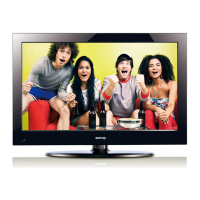
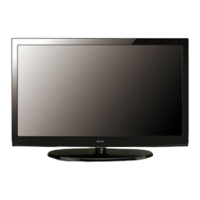
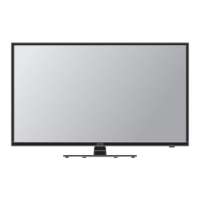
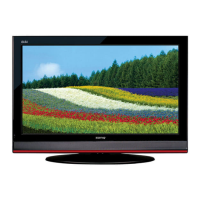
This document is an instruction manual for the SONIQ L32V12B-AU, a 32" HD LCDTV. It provides comprehensive information on the television's functions, features, technical specifications, and usage instructions.
Function Description:
The SONIQ L32V12B-AU is a 32-inch High Definition LCD Television designed for high-quality viewing enjoyment. It supports various input sources including DTV, ATV, AV, YPbPr, VGA, HDMI, and MEDIA (USB). The television includes features such as PVR (Personal Video Recorder) for recording and timeshifting programs, and a Media Play function for playing multimedia files from a USB device. It also offers standard television functionalities like channel tuning, picture and sound adjustments, and parental control.
Important Technical Specifications:
- Operating Voltage: ~100-240V AC, 50/60Hz
- Power Consumption: 116W (Max), < 1W (Standby)
- Video Format Supporting (COMPONENT): 480i, 480p, 576i, 576p, 720p (50Hz/60Hz), 1080i (50Hz/60Hz), 1080p (50Hz/60Hz)
- Video Format Supporting (HDMI): 480p, 576p, 720p (50Hz/60Hz), 1080i (50Hz/60Hz), 1080p (50Hz/60Hz)
- Digital TV Input Frequency: VHF-H: 177.5 to 226.5MHz, UHF: 522.5MHz to 816.5MHz
- Digital TV Channel Bandwidth: 7MHZ
- Digital TV Video Decode: 1080i, 720p, 576p, 576i
- Digital TV Audio: MPEG; AC3
- Analog TV System: PAL B/G; D/K; I
- Analog TV NICAM: NICAM Stereo
- Panel Active Area: 697.7mm x 392.3mm (V), 31.5 inches (800.4mm) diagonal
- Pixel Format: 1366 horiz. by 768 vert. pixels RGB horizontal stripe arrangement
- Luminance White: 350cd/m² (Center 1 point) (Typ.)
- Contrast Ratio: 1200 (Typ.)
- Color Depth: 8bit, 16.7M colors
- Expected Life Time: about 50,000 hours
- Connection Interface: ANT IN (RF X 1), HDMI (X 2), USB (X 1), YPbPr (X 1), VGA (X 1), VIDEO (X 1)
- Audio Power: 8W+8W
- Unit Dimension: 954(L) x 160(W) x 585(H)mm
- Weight: Net: 8.1kgs; Gross: 10.0kgs
- Supported PC Input Signal (VGA/HDMI 1/2 Input): Resolutions from 640x480 to 1280x1024, supporting various VESA and Mac standards.
Usage Features:
- Remote Control: The television is primarily operated via a remote control with dedicated buttons for power, mute, numerical input, picture mode, sound mode, subtitle, audio, info, sleep timer, pause, aspect ratio, volume, channel selection, menu, source, exit, EPG, navigation (up/down/left/right/OK), record, setup, repeat, timeshift, T/R (radio/DTV switch), D.DIS (DVD info), A-B (repeat section), GOTO (set play time), stop, index, previous/next chapter/track, fast reverse/forward, and text size.
- Source Selection: Users can easily switch between different input sources (DTV, ATV, AV, YPbPr, VGA, HDMI 1, HDMI 2, MEDIA) using the SOURCE button on the remote.
- Channel Menu: Includes Auto Tuning for automatic channel search, DTV Manual Tuning for manual channel setup, Programme Edit for managing channels (delete, move, skip, rename, add to favorites), and Signal Information display.
- Picture Menu: Allows adjustment of Picture Mode (Standard, Dynamic, Mild, User), Color Temperature (Cool, Standard, Warm, User), Aspect Ratio (Full, 4:3, Auto), Screen settings (PC mode), Energy Saving (Middle, High, Low, Standard), and Noise Reduction (Middle, High, Off, Low).
- Sound Menu: Offers Sound Mode adjustments (Standard, Music, Movie, User), Balance control, Auto Volume (On/Off), SPDIF Mode (PCM, Auto, Off), and Power On Music (On/Off).
- Time Menu: Features Off Time and On Time settings, Time Zone selection, Auto Sleep (On/Off), and Sleep Timer.
- Option Menu: Includes OSD Language (English only), PVR File System (for USB device information and formatting), OSD Time Out, OSD Transparency, Restore Default settings, Version Info, and Blue Screen (On/Off).
- Lock Menu: Provides parental control features such as Lock System, Set Password, Block Program, and Parental Guidance (age limit).
- PVR Function:
- Record: Allows immediate recording of current programs using the REC button or scheduled recording via the EPG.
- Timeshift: Enables pausing and resuming live TV broadcasts.
- Playback: Users can view recorded programs from the PVR.L list.
- USB Device Management: Supports FAT32 and NTFS file systems for USB storage devices. Recommended capacity is 1TB or less for external hard disks and 32GB or less for USB memory.
- Media Play Function:
- Photo: Displays images (JPEG, BMP) from a USB device, with options to enlarge/contract and rotate.
- Music: Plays audio files (MP3) from a USB device, with options to set play time and background music.
- Movie: Plays video files (MKV) from a USB device, with options for fast forward/backward, chapter selection, and A-B repeat.
- Text: Displays text files from a USB device, with options to turn pages and set background music.
Maintenance Features:
- Safety Instructions: Emphasizes crucial safety precautions to prevent fire, electric shock, and injury, including proper placement, ventilation, power cord handling, and battery usage.
- Cleaning: The appliance should be cleaned only as recommended by the manufacturer.
- Troubleshooting: Provides a comprehensive guide for diagnosing common issues related to power, picture, sound, remote control, and antenna reception, along with suggested actions.
- Battery Handling: Instructions for installing and replacing AAA batteries in the remote control, with warnings against mixing old/new or different types of batteries, and advice to remove batteries during long periods of non-use.
- Panel Care: Notes that the panel is made of glass and can break if dropped or forced, advising caution. It also mentions that the panel may have a few bright or dark pixels, which is normal and does not impact performance.

 Need help?

 To Next Page
 General