46
3. OPERATION
1� Check the household voltage to ensure it matches the appliance‘s rated specifi cation� Be sure to plug into
AC 220-240V, 50/60 Hz outlet�
2� ON/OFF
After inserting the plug, a beeping noise will occur� You can now press the “ON/OFF” switch, the fan will start
at low speed�
3� SPEED:
Product has 3 speed settings: low – medium - high� Illuminated symbols indicate the diff erent speed settings�
Low speed
Medium speed
High speed
4� TIMER
The timer can be set between 1 and 7 hours� The timer button has three corresponding lights: 1H / 2H / 4H�
Each pressing of the timer button will add one hour to the time set� (Pressing once = 1 hour, pressing seven
times = 7 hours�)
The corresponding lights (1H / 2H / 4H) will light up in diff erent combinations depending on the time set� For
instance: Setting the timer for one hour will illuminate 1H� Setting the timer for seven hours will illuminate
1H, 2H and 4H since 1+2+4=7�
5� OSC:
Press the “OSC” once: the fan will oscillate left and right automatically� Press once more to stop oscillation�
Meanwhile, you can adjust the vertical angle manually�
6� The unit has 3 modes: Normal/Natural/Sleep�
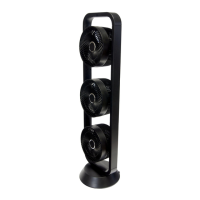
7� The three fans in the unit can be adjusted independently of each other�
8� Disconnect the plug if you do not use the unit for a longer period of time�
EN



 To Next Page