5. Timer: including single, count down, repeat, and loop timer, see details in 4.5.
6. Power-on status configuration: The power-on switch status can be configured on or
off through the APP, and the default power-on status is off.
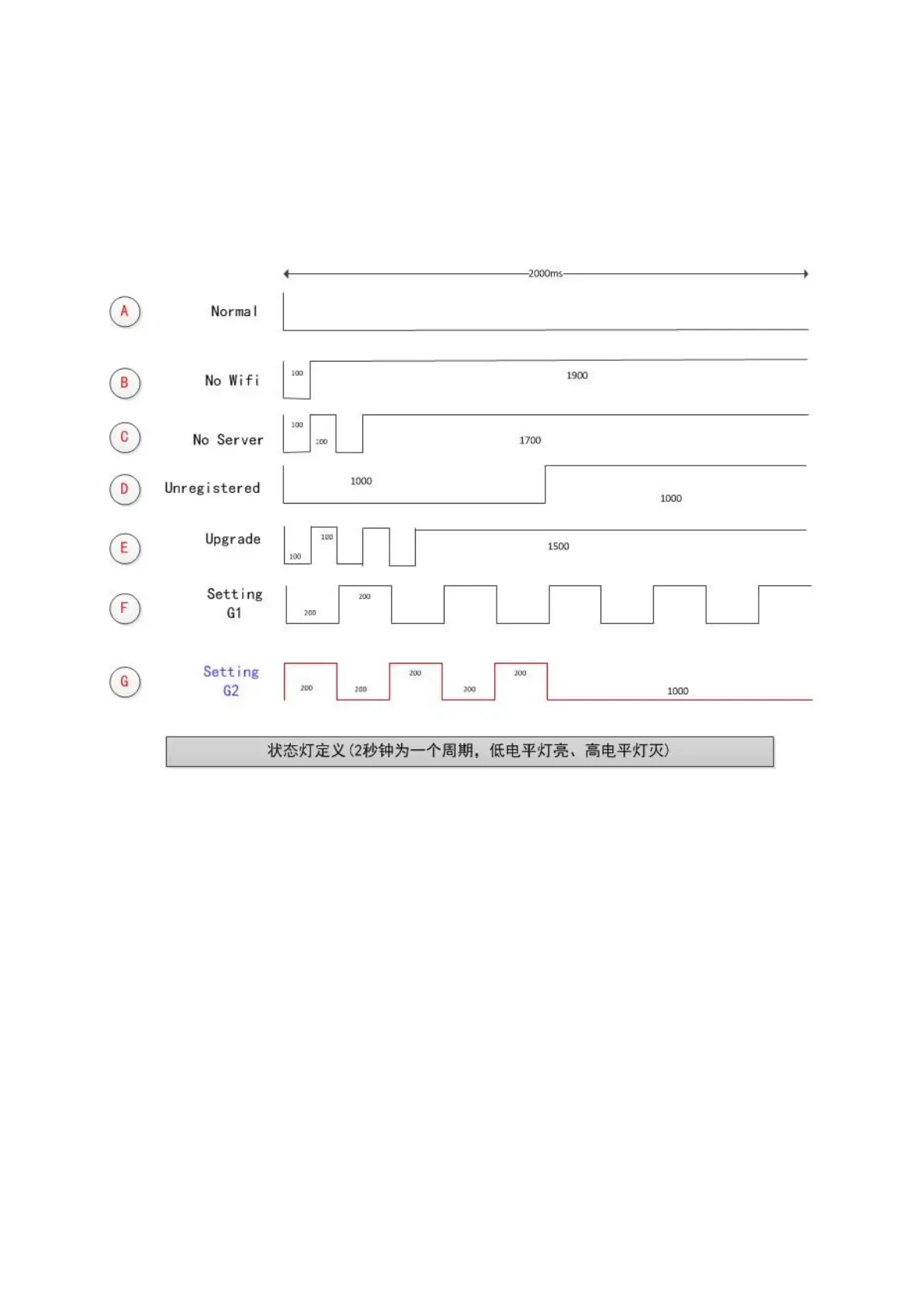
4.2. Wi-Fi status indicator light description
The flashing mode of the Wi-Fi status light on the device represents the its current
network working status. The specific status includes the following seven types:
The flashing of the Wi-Fi status light is in a cycle of 2 seconds, as shown in the figure,
the low-level light is on and the high-level light is off. Detailed explanation of each status:
1. Normal: The device is working normally and the connection to the cloud server is
normal.The device can be only controlled through the APP in this mode.
2. NO Wi-Fi: The device cannot connect to the router.



 To Next Page