Shenzhen Sonoff Technologies Co., Ltd.
Screen display and introduction
Screen display Introduction
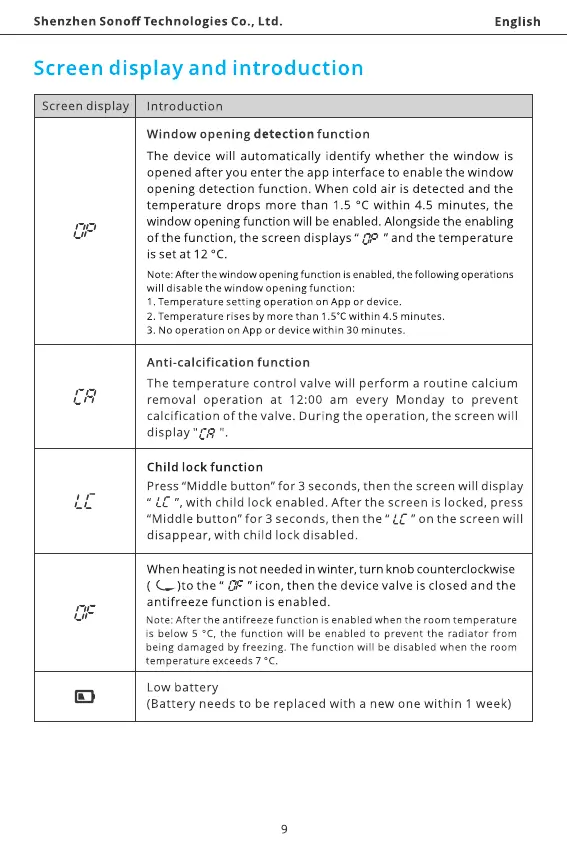
Window opening detection function
English
The device will automatically identify whether the window is
opened after you enter the app interface to enable the window
opening detection function. When cold air is detected and the
temperature drops more than 1.5 oc within 4.5 minutes, the
window opening function will be enabled. Alongside the enabling
of the function, the screen displays " T' " and the temperature
is set at 12 oc.
Note: After the window opening function is enabled, the following operations
will disable the window opening function.
1. Temperature setting operation on App or device.
2. Temperature rises by more than 1.50C within 4.5 minutes.
3. No operation on App or device within 30 minutes.
Anti-calcification function
The temperature control valve will perform a routine calcium
removal operation at 12:00 am every Monday to prevent
calcification of the valve. During the operation, the screen will
display "CR
Child lock function
Press "Middle button" for 3 seconds, then the screen will display
" ", with child lock enabled. After the screen is locked, press
"Middle button" for 3 seconds, then the " L'C " on the screen will
disappear, with child lock disabled.
When heating is not needed in winter, turn knob counterclockwise
( C)tO the " " icon, then the device valve is closed and the
antifreeze function is enabled.
Note: After the antifreeze function is enabled when the room temperature
is below S oc, the function will be enabled to prevent the radiator from
being damaged by freezing. The function will be disabled when the room
temperature exceeds 7 oc.
Low battery
(Battery needs to be replaced with a new one within 1 week)
9



 To Next Page