Need help?
Do you have a question about the Sonoff S26 Series and is the answer not in the manual?
Guide to download the eWeLink application for device setup.
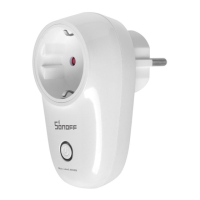
Instructions on how to power on the Wi-Fi Smart Plug.
Steps to add the Wi-Fi Smart Plug to the eWeLink app.
Explains the meaning of different Wi-Fi LED indicator light patterns.
 General
| Wireless Frequency | 2.4 GHz |
|---|---|
| Voltage Range | 100-240V AC |
| Max Load | 10A |
| Max Power | 2200W |
| Compatibility | Amazon Alexa, Google Assistant, IFTTT |
| Material | PC V0 |
| Operating Temperature | -10°C to 40°C |
| Supported OS | Android, iOS |
| Certification | CE, FCC, RoHS |
| Type | Smart Plug |
| Wi-Fi Standard | IEEE 802.11 b/g/n |
| Operating Humidity | 5%-90% RH, non-condensing |

 To Next Page