Shenzhen Sonoff Technologies Co., Ltd.
Factory reset
English
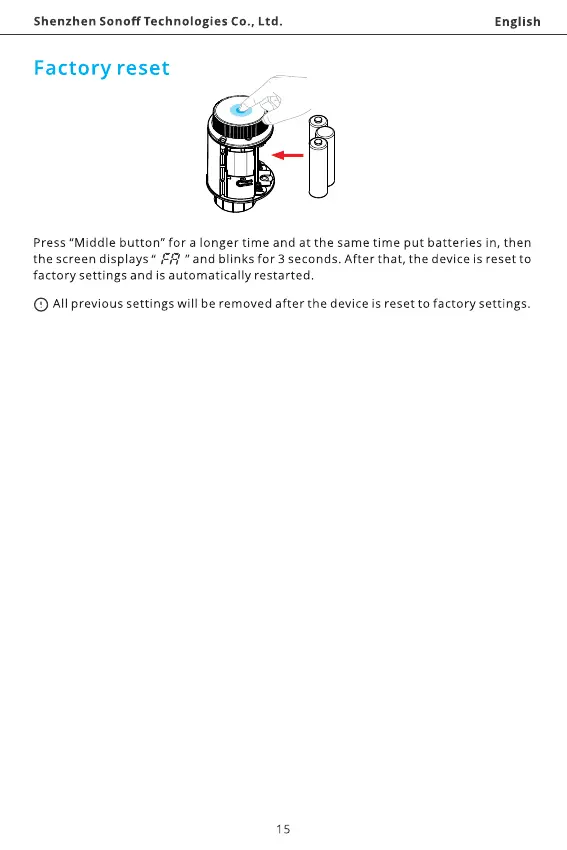
Press "Middle button" for a longer time and at the same time put batteries in, then
the screen displays " " and blinks for 3 seconds. After that, the device is reset to
factory settings and is automatically restarted.
O All previous settings will be removed after the device is reset to factory settings.
15



 To Next Page