EasyManua.ls Logo

Sonomed E-Z Scan 5500+ Series - User Manual

Sonomed E-Z Scan 5500+ Series
44 pages
Print Icon
To Next Page IconTo Next Page
Loading...
E-Z Scan
5500+ Series
TM
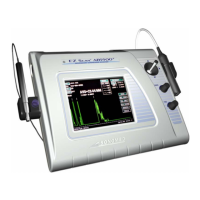
AB5500+ Combined
A-Scan / B-Scan
B5500+ B-Scan
5550-A-1901-1C
Operators Manual
Sonomed, Inc.
A Subsidiary of Escalon Medical
1979 Marcus Avenue
Lake Success, NY 11042 USA
Tel 800-227-1285
516-354-0900
Fax 516-354-5902
www.sonomedinc.com
0413

Questions and Answers

Summary

Introduction

1.1 SYSTEM DESCRIPTION

Overview of the Sonomed E-Z Scan series ophthalmic ultrasound instruments and their models.

1.2 B-SCAN FEATURES

Details the capabilities of the B-scan mode for imaging eye structures and features like high-resolution display.

1.3 A-SCAN FEATURES

Highlights A-scan capabilities for axial length measurement, IOL power calculation, and various examination modes.

1.4 ACCESSORIES & OPTIONS

Lists standard accessories supplied with the E-Z Scan system and available optional items.

Getting Started

2.1 UNPACKING

Step-by-step guide for unpacking the E-Z Scan system and verifying all components are present.

2.2 SAFETY CONSIDERATIONS

Essential safety instructions, warnings, and cautions to ensure safe operation and prevent injury.

2.3 SYSTEM SET-UP

Initial setup procedures for connecting accessories and preparing the system for operation.

PRINTER SET-UP

Procedure for setting up the video printer for use with the system.

POWER UP CHECK

Verifying system power-on status and display initialization.

USING THE TOUCH SCREEN

Guidelines for operating the system's touch screen interface.

SCREEN BRIGHTNESS ADJUSTMENT

How to adjust the display brightness for optimal viewing.

SLEEP MODE

Information on the system's sleep mode feature to conserve display life.

SETTING THE DATE AND TIME

Procedure for configuring the system's date and time settings.

A-SCAN OPERATION AND CLINICAL USE

3.1 SELECTING A-SCAN MODE

Instructions on how to select the A-scan mode from the main screen for performing measurements.

3.2 CALIBRATION

Procedure to verify the functionality of the A-scan portion using the calibration cylinder.

3.3 SYSTEM SET-UP

Process for entering user information, selecting IOL formulas, and configuring lens constants.

ENTERING PATIENT INFORMATION

Method for storing patient details such as name, identification number, and the eye being examined.

3.4 PATIENT PREPARATION

Steps for preparing the patient, including anesthetic administration and proper positioning for scans.

3.5 PATIENT EXAMINATION

Guidance on performing A-scan measurements, including mode selection, tissue velocity, and scan capture.

PERFORMING IOL CALCULATIONS

How to use A-scan data and IOL formulas to determine appropriate intraocular lens powers.

PRINTING

Instructions for printing scan images and IOL calculation tables using the video printer.

3.6 IMAGE ARCHIVE

Procedure for downloading actual scans and associated scan information to a computer.

3.7 SOURCES OF ERRORS AND HOW TO AVOID THEM

Identifies common errors in A-scan measurements and provides methods to avoid them.

B-SCAN OPERATION AND CLINICAL USE

4.1 SELECTING B-SCAN MODE

Instructions on how to select the B-scan mode from the main screen for imaging the eye.

4.2 SYSTEM SET-UP

Process for entering user identification and saving system operating parameters like Gain and TVG.

ENTERING PATIENT INFORMATION

Method for storing patient details such as name, identification number, and the eye being examined.

4.3 PATIENT PREPARATION

Guidelines for patient seating and applying transmission gel to the B-scan probe tip.

4.4 PATIENT EXAMINATION

Performing B-scan imaging, including start/stop scanning and toggling between live and freeze modes.

4.5 B-SCAN OPERATING CONTROLS

Explanation of soft key buttons, menus, joystick, and other controls for operating the B-scan mode.

SOFT-KEY DESCRIPTION

Detailed explanation of functions for MENU, MODE, MEASURE, ENHANCE soft keys.

BRIGHT

How to adjust the display brightness.

ANNOTATE

Feature to add text and symbols to B-scan images.

JOYSTICK

Functions of the joystick for panning, cursor movement, and annotation.

(REAR PANEL)

Description of rear panel connectors like Video Out and RS-232.

4.6 IMAGE ARCHIVE

Procedure for downloading B-scan images and data to a computer for storage and review.

MAINTENANCE AND SERVICE

5.1 ROUTINE MAINTENANCE

Procedures for system and probe general inspection, cleaning, storage, and basic checks.

STORAGE

Guidelines for properly storing the E-Z Scan system and probes to prevent damage and contamination.

PROBE GENERAL INSPECTION

Daily checks for probe function, cable condition, fixation light, and tip integrity.

5.2 A-SCAN FUNCTIONALITY CHECK

How to perform a calibration check to verify the accuracy and functionality of the A-scan probe.

A-SCAN SENSITIVITY TEST

Procedure to test the sensitivity of the A-scan probe and identify potential degradation.

5.3 TROUBLESHOOTING

A chart detailing common system symptoms and their corresponding corrective actions.

ELECTROMAGNETIC INTERFERENCE

Information on managing interference from external sources and resolving system lock-ups.

5.4 WARRANTY

Details the warranty terms and conditions for the Sonomed E-Z Scan instrument.

5.5 DISPOSAL

Instructions for the proper disposal of coupling gel and the system equipment at end-of-life.

SPECIFICATIONS

PHYSICAL

Specifies the physical dimensions and weight of the E-Z Scan unit.

ELECTRICAL

Details the electrical characteristics, including power consumption and supply voltage.

ENVIRONMENTAL

Outlines the operating and storage temperature and humidity requirements for the system.

INTERFACE

Describes the types of connectors for DC input, foot pedal, probes, and printer output.

DISPLAY

Information on the type, resolution, and dimensions of the system's color LCD display.

PROBES

Technical specifications for the B-Scan and A-Scan probes, including frequency and focal length.

PRINTER

Model and specifications for the Sony UP-890MD video printer.

ACCESSORIES AND OPTIONS

Lists the standard accessories and optional items available for the B5500+ and AB5500+ models.

B-SCAN SYSTEM PERFORMANCE

Key performance metrics for the B-scan mode, including examination modes and measurement accuracy.

A-SCAN SYSTEM PERFORMANCE

Key performance metrics for the A-scan mode, including examination modes and measurement accuracy.

SYMBOLS

Explains common symbols used in the manual and on the equipment for clarity and safety.

ALARA SECTION AND EMISSIONS

Information on ultrasonic intensity levels and best practices for minimizing patient exposure.

Acoustic Output Reporting Tables

Tables detailing measured acoustic output parameters for A-scan and B-scan modes.

Appendix A VELOCITY TABLES

DEFAULT INDIVIDUAL VELOCITIES

Lists the default velocity values for different eye structures used in A-scan measurements.

REFERENCE VELOCITIES FOR SPECIFIC STRUCTURES

Provides reference velocities for specific structures and various IOL types for accurate calculations.

IOL CORRECTION VALUES

Details correction values for different IOL materials used in conjunction with specific velocities.

Appendix Table of IOL Constants

A-Constant S-Factor ACD

Presents a table of IOL constants, including A-Constant, S-Factor, and ACD values for use in calculations.

Appendix C HAIGIS FORMULA

HAIGIS FORMULA

Information regarding the Haigis IOL formula, its development, and sources for obtaining constants.

Sonomed E-Z Scan 5500+ Series Specifications

General IconGeneral
BrandSonomed
ModelE-Z Scan 5500+ Series
CategoryScanner
LanguageEnglish