Sonos Controller 200 7
ENGLISH
NEDERLANDS
DEUTSCH
SVENSKA
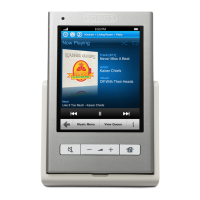
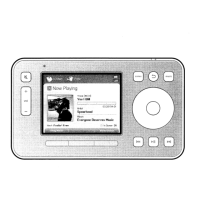
Controller Sensors and Indicators
Light sensor. The light sensor automatically turns on the button backlights
based upon the brightness of the environment.
Wireless signal strength indicator. Indicates the current strength of the
Controller’s wireless signal.
Battery charge indicator. Indicates the Controller’s remaining battery
charge.
Clocks and Alarms
1. From the Music Menu, select Alarms.
•Touch View Clock to display the clock on this Controller.
•Touch Sleep Timer to select a sleep time interval.
•Touch Alarms to set or change an alarm. Select the desired settings for the
alarm, including the alarm time, the zone you would like the alarm to play in,
the music source you’d like to play from, the frequency of the alarm, and the
volume setting. Touch Save Alarm to save the alarm preferences.
•Touch Advanced to select additional alarm preferences, such as the length
of time you want the alarm music to play, and whether or not to include
linked zones. If you select Yes, the alarm will play in the zones that are
linked together when the alarm goes off (not in the zones that were linked
together at the time the alarm was set.)


 To Next Page