This is the Internet version of the user’s guide
© Print only for private use.
4
English
Stereo FM radio Handsfree HPR-20
The FM radio works in the frequency band 87.5–
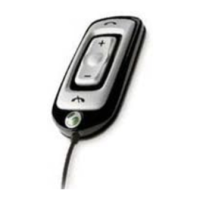
108 MHz. With the mode/enter button you can reach
the three different menus – tuning, preset and bass.
When you receive a call, the radio is automatically
muted and when you end the call, you can hear the radio
again in your earpiece. If you reject a call, the radio
continues to play. You can make a voice call by simply
pressing the handsfree button.The radio is automatically
muted until the call is ended.
Note: When using the radio, do not use the Magic word
functionality, since the radio will not work then.
To turn on the radio
• Press and hold the mode/enter button to turn on the radio.
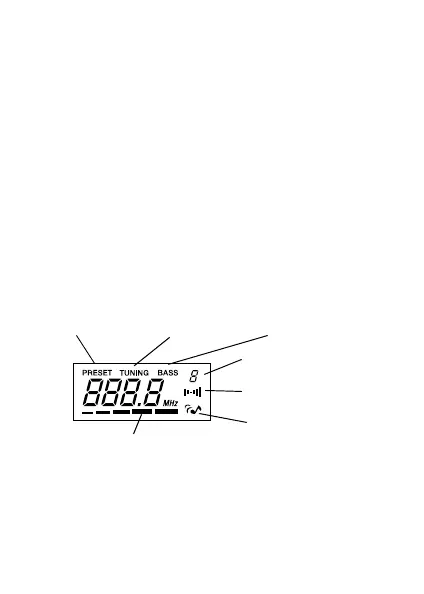
tuning menupreset menu
bass menu
number of the preset
radio station in use
stereo indicator
bass display
volume indicators



 To Next Page