Getting to know your P900 23
This is the Internet version of the user’s guide. © Print only for private use.
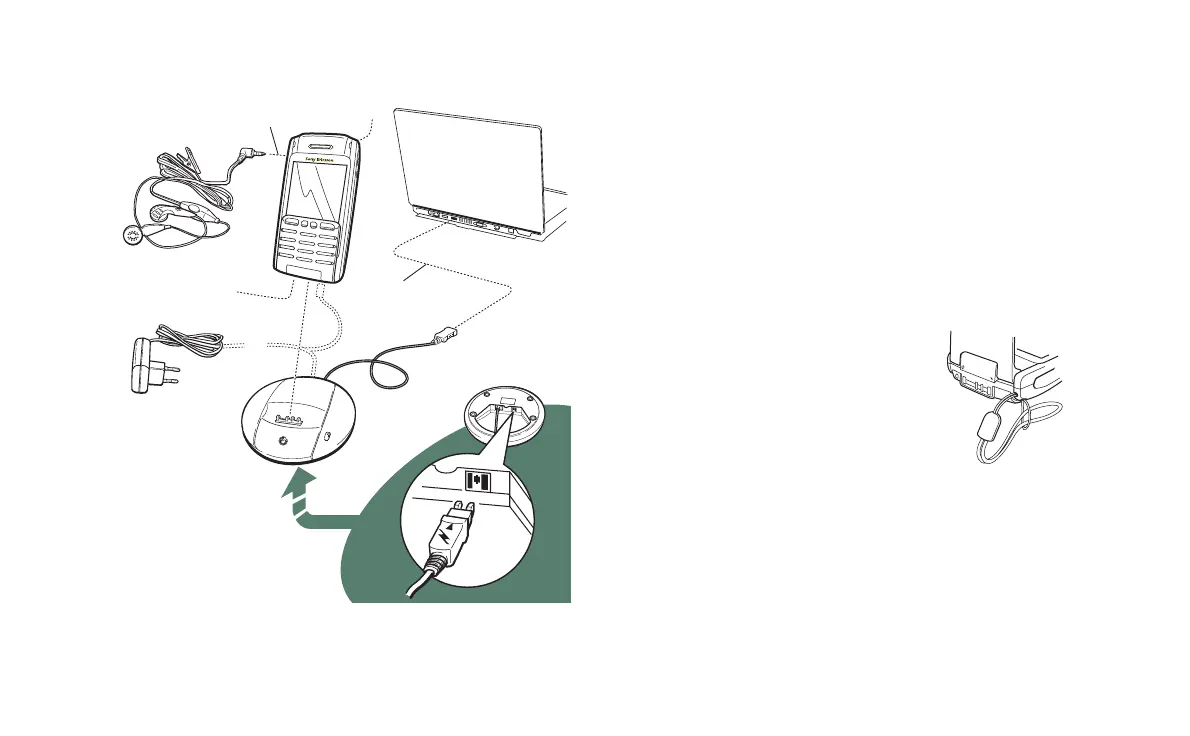
Connecting the accessories
The wrist strap is threaded
through the holes next to the
connector at the bottom of the
P900.
C
E
B
D
A
A The travel charger is connected to the desk stand or to the P900.
Note The design of the charger will differ depending on the
market.
B The USB connector from the desk stand is connected to a PC.
C The headset is connected to the P900.
D Other accessories can be connected to the connector at the base of
the P900.
E A car holder can be connected to the antenna connector at the rear.
Note Remove the plastic plug before connecting the P900 to the
car holder.














 To Next Page