14
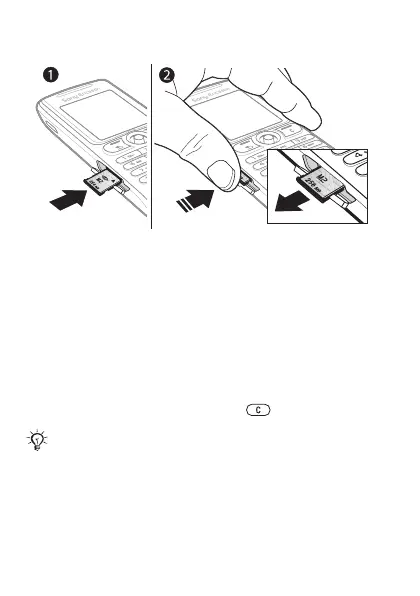
To insert and remove a Memory Stick Micro™ (M2™)
1 Open the cover and insert the memory card
(with the contacts facing down).
2 Press the edge to release and to remove.
PIN
You may need a PIN (Personal Identification Number) from
your network operator to activate the services in your phone.
Each PIN digit appears as *, unless it starts with emergency
number digits, for example, 112 or 911. This is so that you
can see and call an emergency number without entering
a PIN % 22 Emergency calls. Press to correct mistakes.
If you enter the wrong PIN three times in a row,
the SIM card is blocked % 56 SIM card lock.
This is the Internet version of the User's guide. © Print only for private use.














 To Next Page