Getting started
Assembly
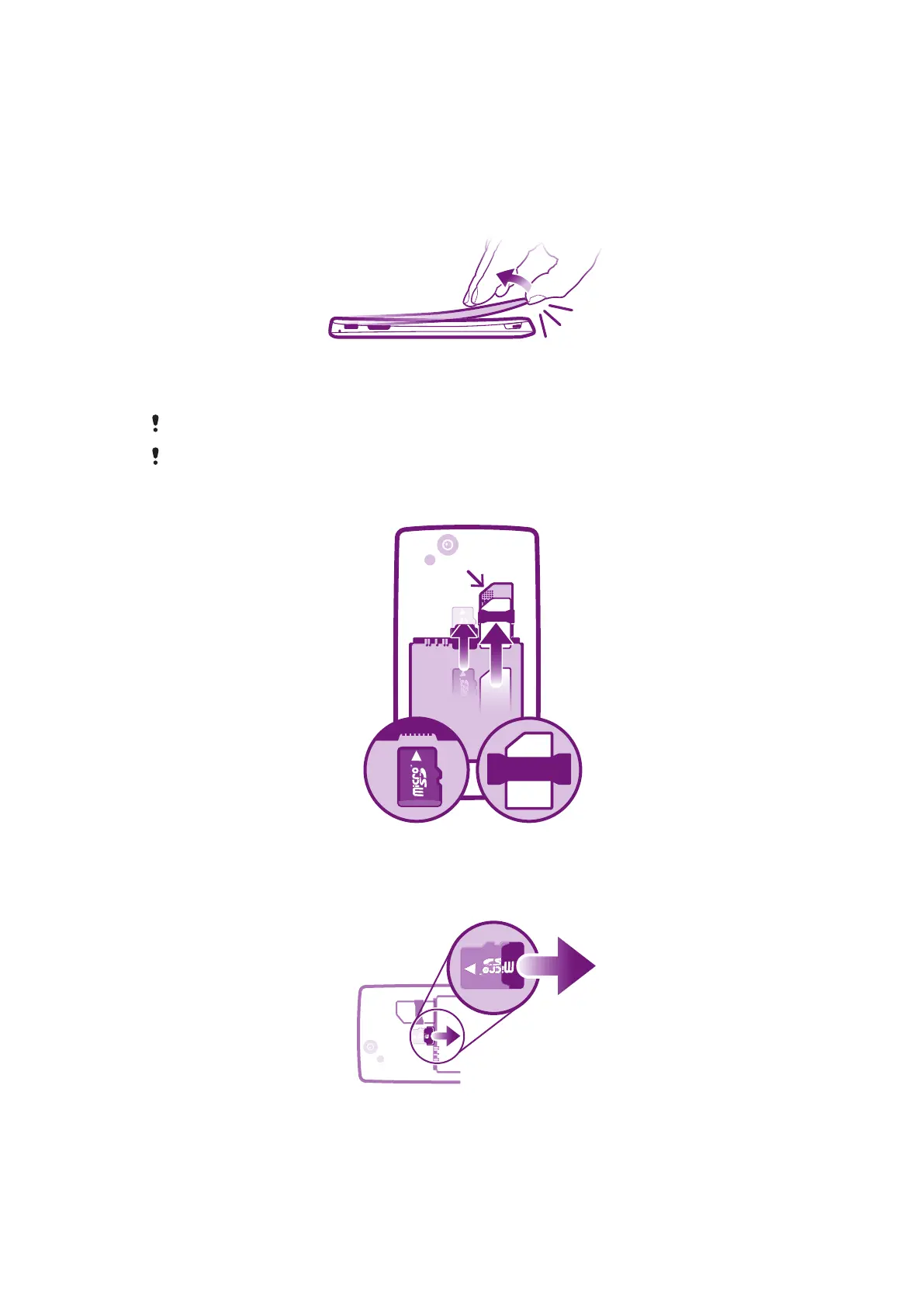
To remove the battery cover
•
Insert the tip of your finger or a thin object firmly into the opening on the bottom side
of the phone, between the phone and the battery cover. Then lift up the cover slowly
but firmly.
Do not use sharp objects that may damage parts of the phone.
You may need to press quite firmly when you’re removing the cover.
To insert the SIM card and the memory card
•
Remove the battery cover, then insert the SIM card and the memory card in the
relevant slots.
To remove the memory card
•
Remove the battery cover and the battery, then draw the memory card outward to
remove it.
8
This is an Internet version of this publication. © Print only for private use.







 To Next Page