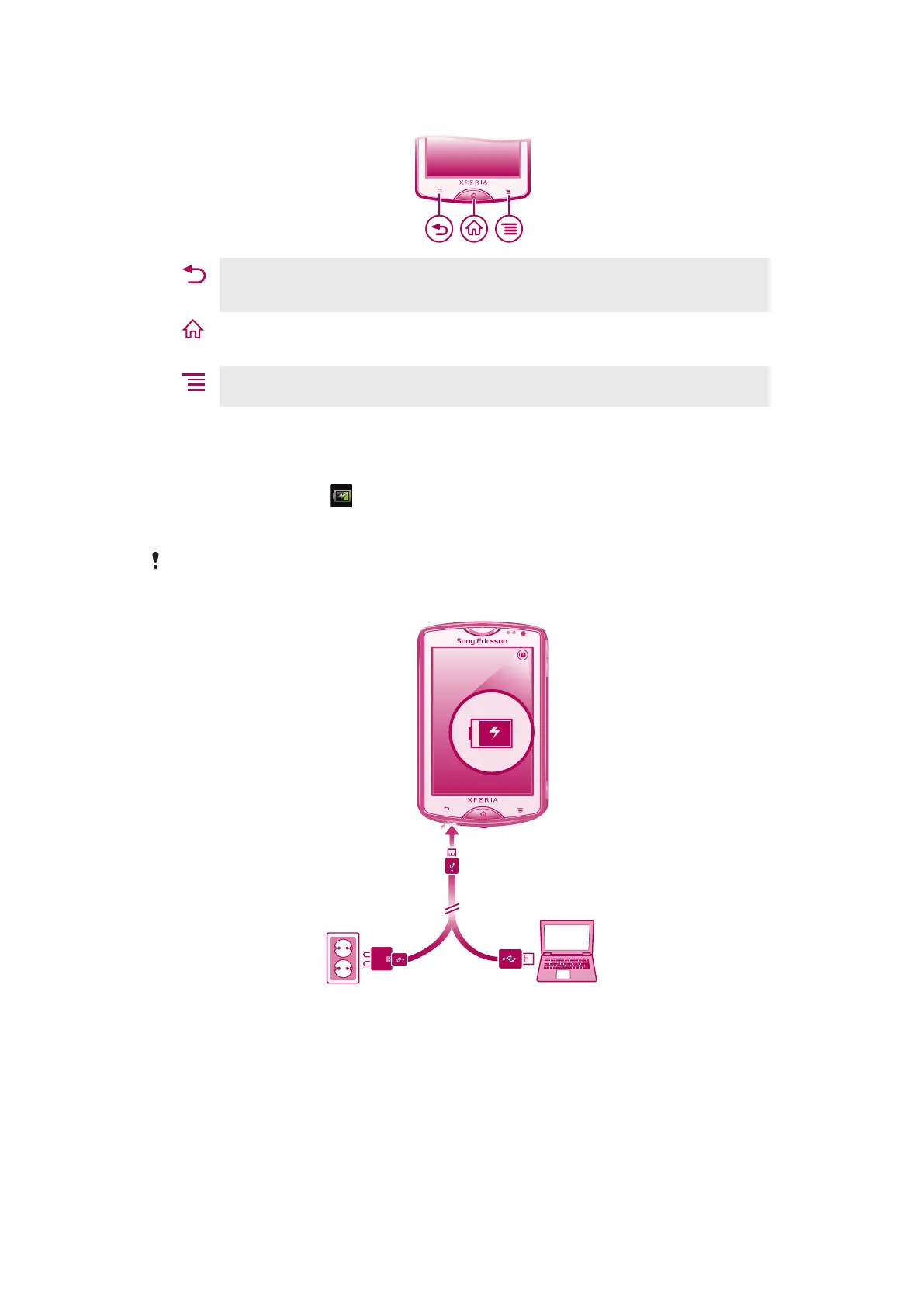
Using the hardware keys
Back
•
Go back to the previous screen
•
Close the on-screen keypad, a dialog box, an options menu, or the Notification panel
Home
•
Go to the Home screen or to the Application screen from any application or screen
•
Press and hold to open a window showing your most recently used applications
Menu
•
Open a list of options available in the current screen or application
Charging the battery
Your phone battery is partly charged when you buy the phone. It may take a few minutes
before the battery icon
appears on the screen when you connect the phone charger
cable to a power source, such as a USB port or a phone charger. You can still use your
phone while it is charging.
The battery will start to discharge a little after it is fully charged and then it charges again after a
certain time when the phone charger is connected. This is to extend battery life and may result
in the charge status showing a level below 100 percent.
To charge the phone using the power adapter
•
Connect the phone to a power outlet using the USB cable and the power adapter.
To charge the phone using a computer
•
Connect the phone to a USB port on a computer using the USB cable included in
the phone kit.
12
This is an Internet version of this publication. © Print only for private use.










 To Next Page