GB
23
GB
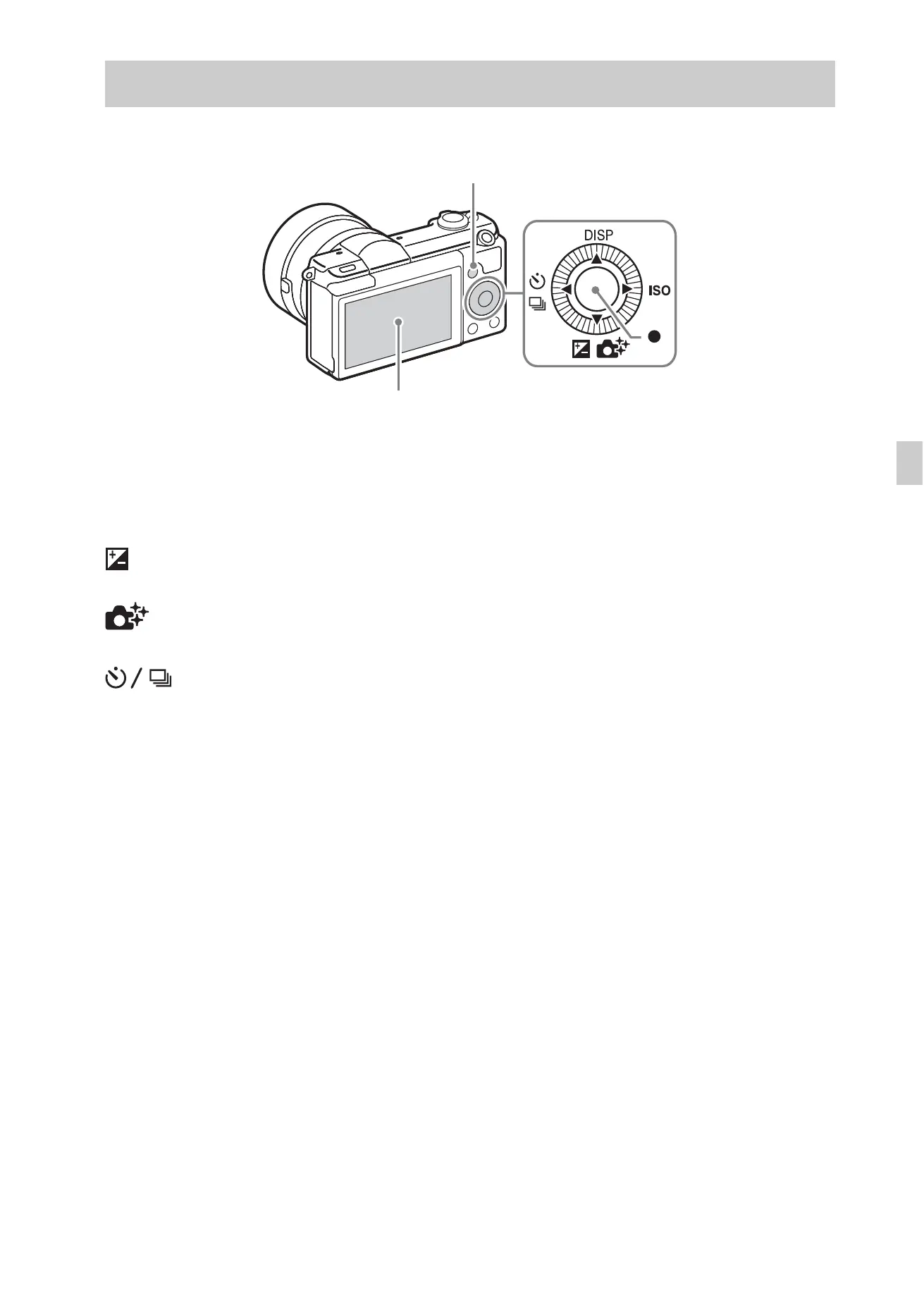
Other functions can be operated using the control wheel, MENU button, etc.
x
Control wheel
DISP (Display Contents): Allows you to change the screen display.
ISO (ISO): Allows you to set the sensitivity based on the brightness.
(Exposure Comp.): Allows you to compensate the exposure and brightness
for the entire image.
(Photo Creativity): Allows you to operate the camera intuitively and
shoot creative images easily.
(Drive Mode): Allows you to switch between shooting methods, such
as single shooting, continuous shooting or bracket shooting.
z (Shoot Mode): Allows you to change the shooting mode.
x
Shooting using touch operation
This camera is equipped with a touch panel. By touching a subject on the
monitor, you can shoot still images (Touch Shutter) or bring the subject into
focus (Touch Focus). You can also use the [Touch Shutter] function along
with [Self-portrait/ -timer] shooting.
Refer to the “Help Guide” for detailed operations and the features available
with the touch panel.
Introduction of other functions
Control wheel
MENU
Touch panel



 To Next Page