ILCE-7C
5-021-708-41(1)
GB
8
C:\Users\gotanda\Desktop\5021708411_GB_Book_Thailand\01GB-ILCE7CCEC\01GB.indd
DTP data saved: 2020/06/26 10:35
PDF file created: 2020/06/26 10:36
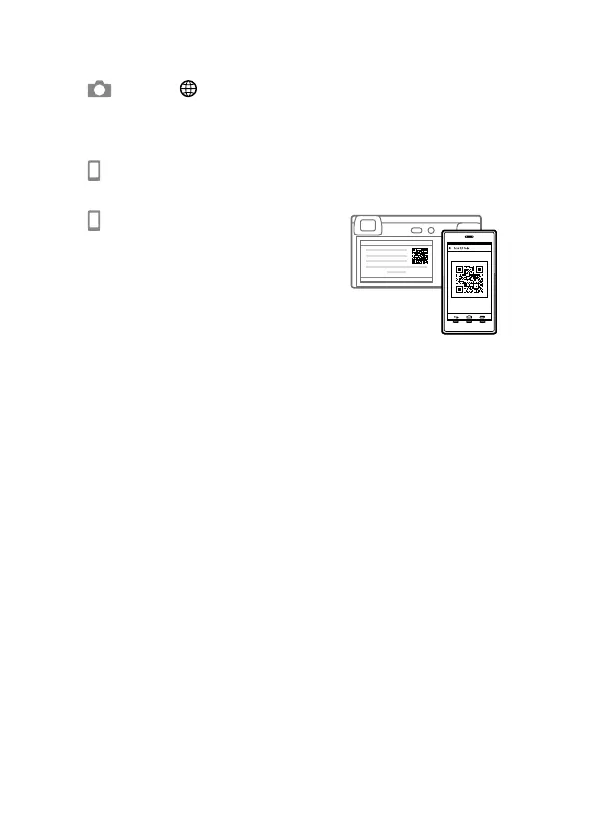
2 Connect the camera and your smartphone using the QR Code.
: MENU (Network) [Send to Smartphone Func.]
[Send to Smartphone] [Select on This Device] images to transfer.
If you want to select images on the smartphone, select
[Select on Smartphone].
: Launch Imaging Edge Mobile on your smartphone, and select
[Connect with a new camera].
: Scan the QR Code displayed on the
camera using your smartphone.
3 The selected images will be transferred.
If you are using Android, you can transfer images after the first time simply
by launching Imaging Edge Mobile with Step 2-
above.
If image transfer does not start, select the camera to connect on the screen
of your smartphone.
For details on how to connect to a smartphone, refer to the following
support sites:
https://www.sony.net/dics/iem02/
• For details on other connection methods, types of images that can be
transferred, or how to use the smartphone as a remote commander to
operate the camera, refer to the “Help Guide.”
• The Wi-Fi functions introduced in this manual are not guaranteed to
operate on all smartphones or tablets.
• The Wi-Fi functions of this camera are not available when connected to a
public wireless LAN.



 To Next Page