ILCE-7SM3
5-060-467-41(1)
EN
24
\\Win-473\camera\CX85000(OT)UUD_IM\Multi\04_Compose\5060467411_14lang\5060467411ILCE7SM3CEC\01EN-ILCE7SM3CEC\030BAS.indd
DTP data saved: 2023/12/27 17:47
PDF file created: 2024/01/19 12:00
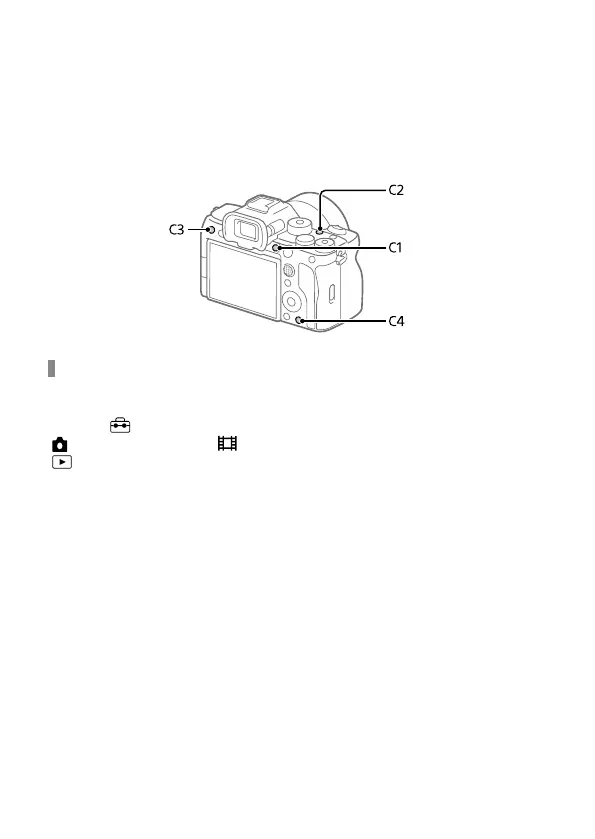
C (custom) buttons
If you assign frequently used functions to the custom buttons (C1 to C4)
in advance, you can quickly call up those functions simply by pressing the
button during shooting or playback.
Recommended functions are assigned to the custom buttons by default.
To check/change the functions of the custom buttons
You can confirm the function currently assigned to each custom button
via the following procedure.
MENU
(Setup) [Operation Customize]
[
Custom Key/Dial Set.], [ Custom Key/Dial Set.] or
[
Custom Key Setting].
If you want to change the function of the custom button, press the center
of the control wheel while the custom button is selected. The functions
that can be assigned to that button will appear. Select your desired
function.



 To Next Page