ILCE-7SM3
5-060-467-41(1)
EN
25
\\Win-473\camera\CX85000(OT)UUD_IM\Multi\04_Compose\5060467411_14lang\5060467411ILCE7SM3CEC\01EN-ILCE7SM3CEC\030BAS.indd
DTP data saved: 2023/12/27 17:47
PDF file created: 2024/01/19 12:00
EN
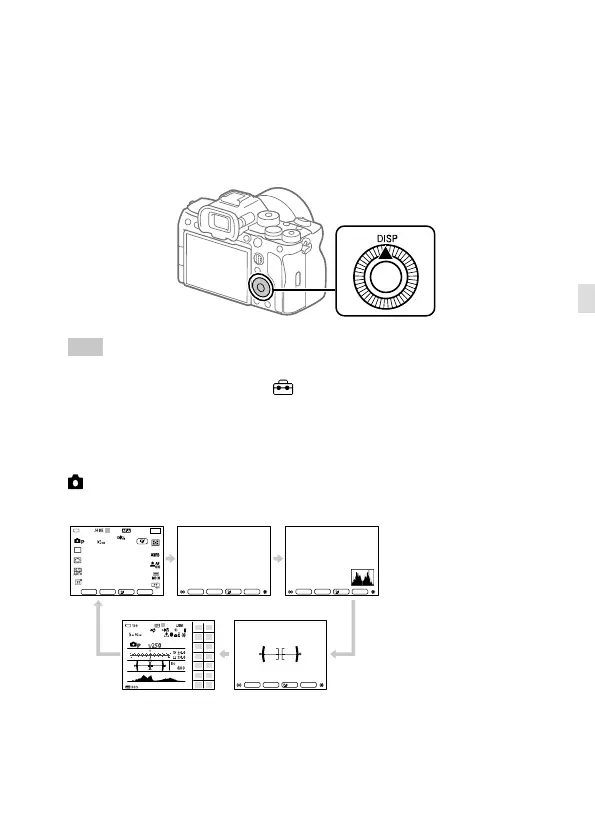
DISP (Display Setting) button
By pressing the DISP (Display Setting) button, you can change the content
displayed on the screen during shooting and playback. The display
switches each time the DISP button is pressed. The viewfinder display and
the monitor display for shooting can be set separately.
Hint
• The monitor can be turned off with the DISP button. Add a check mark
to [Monitor Off] under MENU
(Setup) [Operation Customize]
[DISP (Screen Disp) Set] [Monitor].
During shooting (Monitor)
Display All Info. No Disp. Info. Histogram Level
For viewfinder Display All Info.
When shooting still images:
26
M
F4.0
699
26
M
1/250
F4.0
±0.0
ISO AUTO
100%
1/250
F4.0
±0.0
ISO AUTO
1/250
F4.0
±0.0
ISO AUTO
1/250
F4.0
±0.0
ISO AUTO



 To Next Page