ILCE-7SM3
5-060-467-41(1)
EN
36
\\Win-473\camera\CX85000(OT)UUD_IM\Multi\04_Compose\5060467411_14lang\5060467411ILCE7SM3CEC\01EN-ILCE7SM3CEC\040SHT.indd
DTP data saved: 2023/12/27 17:47
PDF file created: 2024/01/19 12:00
Shooting with drive modes (continuous
shooting/self-timer)
Select the appropriate mode for the subject, such as single shooting,
continuous shooting or bracketing shooting.
1
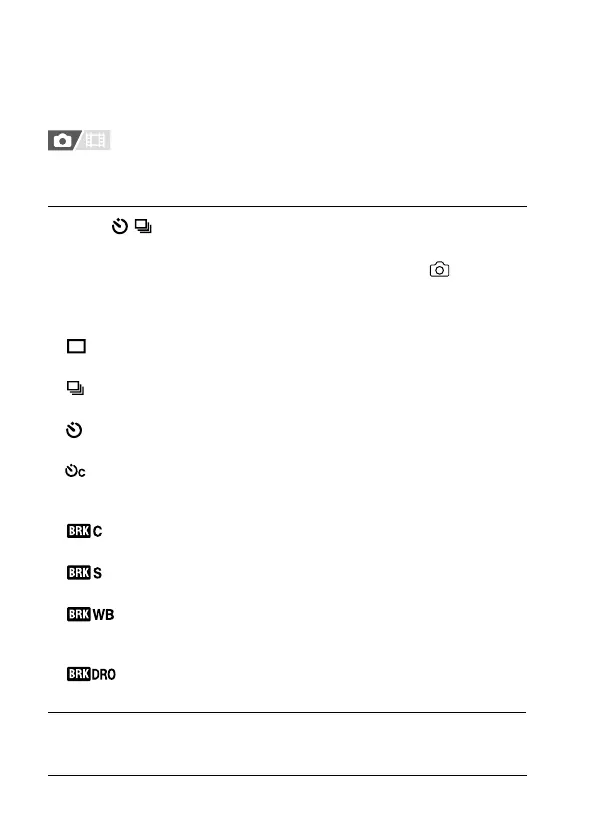
Select / (Drive Mode) on the control wheel desired
setting.
• You can also set the drive mode by selecting MENU (Shooting)
[Drive Mode] [Drive Mode].
• For details on parameters other than [Cont. Shooting], refer to the
“Help Guide.”
Single Shooting: Shoots one image when you press the shutter
button.
Cont. Shooting: Shoots images continuously while you press and
hold down the shutter button (page 37).
Self-timer(Single): Shoots an image after a designated number of
seconds have elapsed since the shutter button was pressed.
Self-timer(Cont): Shoots a designated number of images after
a designated number of seconds have elapsed since the shutter
button was pressed.
Cont. Bracket: Shoots images while holding the shutter button
down, each with different degrees of exposure.
Single Bracket: Shoots a specified number of images, one by
one, each with a different degrees of exposure.
WB bracket: Shoots a total of three images, each with different
color tones according to the selected settings for white balance,
color temperature and color filter.
DRO Bracket: Shoots a total of three images, each at a
different degree of D-Range Optimizer.
2
Select the desired mode using the right/left side of the control
wheel.



 To Next Page