EN
3
EN
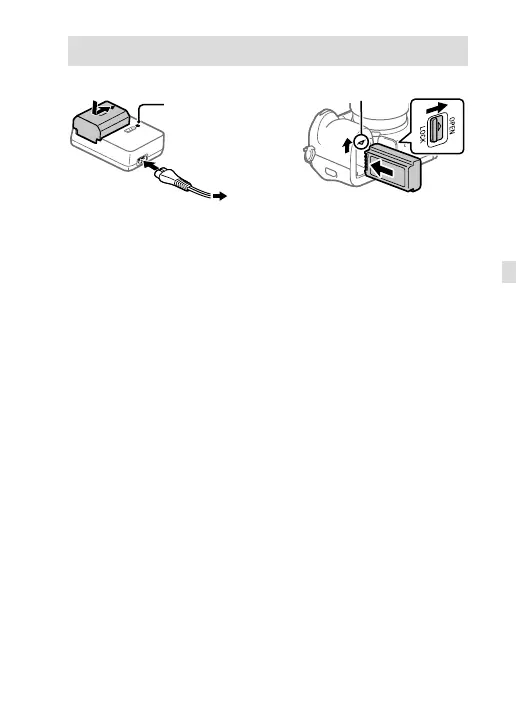
Preparing the battery pack
To a wall outlet
(wall socket)
Lock lever
CHARGE lamp
Lit: Charging
Off: Charging finished
Insert the battery pack into the battery charger, and connect it
to a wall outlet (wall socket) using the power cord (supplied).
• Place the battery pack on the battery charger in the direction
of . Slide the battery pack in the direction of the arrow as far
as it will go.
Insert the battery pack into the camera.
• Open the battery cover, and then insert the battery pack
while pressing the lock lever.



 To Next Page