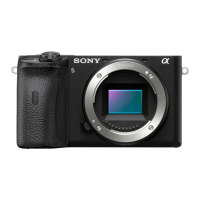
ILCE-6400
4-747-610-11(1)
C:\Users\gotanda\Desktop\4747610111ILCE6400U2\01GB.indd
DTP data saved: 2018/10/10 13:38
PDF file created: 2018/10/31 11:28
Inserting the battery pack (supplied)/memory card
(sold separately) into the camera
Open the battery/memory card cover, and insert the battery pack and a memory
card into the camera. Then, close the cover.
Memory card Battery pack
Lock lever
Ensure the notched corner
faces correctly.
Battery pack
Make sure that the battery pack is facing in the correct direction, and insert it while
pressing the battery lock lever.
Memory card
Insert the memory card with the notched corner facing as illustrated.
This camera is compatible with SD memory cards or Memory Stick media. For
details on the compatible memory cards, refer to the “Help Guide.”
When you use a memory card with this camera for the first time, format the card
using the camera in order to stabilize the performance of the memory card.
Note
• Formatting erases all data, including protected images and registered settings
(M1 to M4). Once erased, this data cannot be restored. Save valuable data to a
computer, etc. before formatting.
Charging the battery pack
1 Turn the power off.
If the camera is turned on, the battery pack will not be charged.
2 Connect the camera with the battery pack
inserted to the AC Adaptor (supplied)
using the micro USB cable (supplied), and
connect the AC Adaptor to the wall outlet
(wall socket).
The charge lamp will light up when charging
starts. When the charge lamp turns off,
charging is completed.
Charge lamp
Attaching a lens
Mounting indexes
1 Remove the body cap from the camera and the rear lens cap from the
rear of the lens.
2 Mount the lens by aligning the two white index marks (mounting
indexes) on the lens and camera.
3 While pushing the lens lightly toward the camera, turn the lens slowly
in the direction of the arrow until it clicks into the locked position.
Setting the language and the clock
ON/OFF (Power) switch
Control wheel
Select items : ////
/
Confirm : Center button
1 Set the ON/OFF (Power) switch to “ON” to turn on the camera.
2 Select the desired language and then press the center of the control
wheel.
3 Make sure that [Enter] is selected on the screen and then press the
center.
4 Select the desired geographic location and then press the center.
5 Set [Daylight Savings], [Date/Time], and [Date Format], and then select
[Enter] and press the center.
If you want to reconfigure the date/time or the area setting at a later point,
select MENU
(Setup) [Date/Time Setup] or [Area Setting].
Shooting
Shooting still images
1 Select the desired shooting mode
by turning the mode dial.
Shutter button
Mode dial
(Flash pop-up) button
2 Press the shutter button halfway
down to focus.
3 Press the shutter button all the
way down.
Changing the monitor angle
You can change the monitor angle to shoot from any position you like.
(A) High position (holding the camera high)
(B) Low position (holding the camera low)
(C) Selfie position (facing the monitor toward you to take a selfie)
(A)
(B)
(C)
Using the flash
Press the (Flash pop-up) button to pop up the flash.
Restore the flash to its original position after using it. Make sure that the flash
portion is not sticking up.
Shooting movies
1 Press the MOVIE (Movie) button to start
recording.
Movie recording can be started from any
shooting mode in the default setting.
MOVIE (Movie) button
2 Press the MOVIE button again to stop
recording.
Interchangeable Lens Digital Camera
Startup Guide
4-747-610-11(1)
E-mount
ILCE-6400
©2018 Sony Corporation Printed in Thailand
Looking for valuable information, such as essential points
on shooting
This website introduces convenient functions, ways of usage, and setting
examples.
Refer to the website when you set up your camera.
https://www.sony.net/tutorial/ilc/
Tutorials
Preparations
Checking the supplied items
The number in parentheses indicates the number of pieces.
• Camera (1)
• Power cord (mains lead) (1)*
(supplied in some countries/regions)
* Multiple power cords may be
supplied with this equipment. Use the
appropriate one that matches your
country/region. See “Notes on use.”
• Rechargeable battery pack NP-FW50
(1)
• Micro USB cable (1)
• AC Adaptor (1)
The type of the AC Adaptor may differ
depending on the country/region.
• Shoulder strap (1)
• Eyepiece cup (1)
• Body cap (1)*
* Only for the ILCE-6400/ILCE-6400M
• Shoe cap (1) (attached to the camera)
• Startup Guide (this manual) (1)
• Reference Guide (1)
About the manual for this camera
This guide describes the necessary preparations to start using the
product, basic operations, etc. For details, refer to the “Help Guide”
(web manual).
http://rd1.sony.net/help/ilc/1810/h_zz/
“Help Guide” (Web manual)
ILCE-6400 Help Guide

 Need help?
 General

 To Next Page