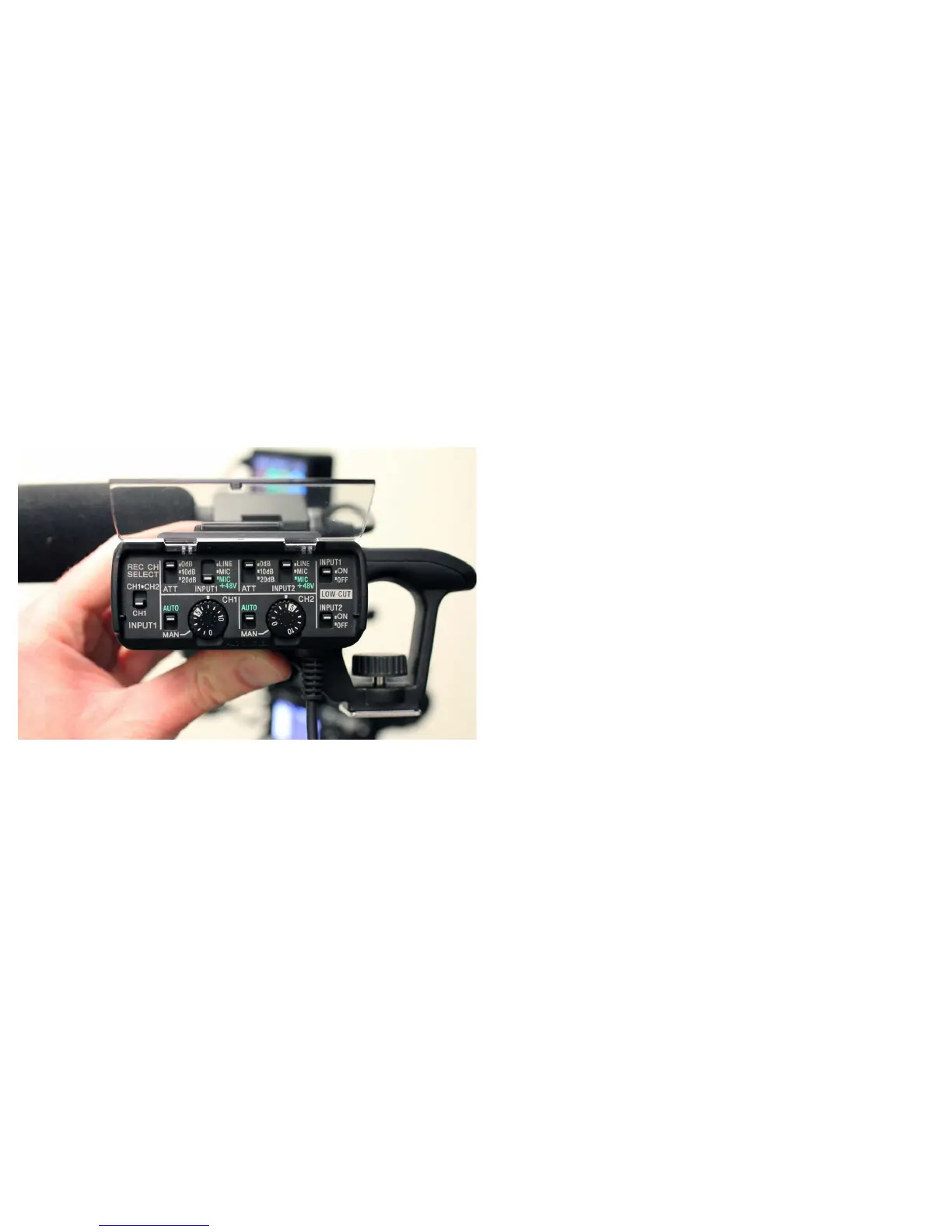
You%have%two%inputs%going%to%two%audio%channels%(stereo).
In%this%image%the%external%microphone%is%plugged%into%Input&1.
Input%1%is%going%to%Channel&1&only,%the%LEFT%side%of%the%
stereo%signal%and%the%input%attenuation%(ATN)%is%set%to%
MIC&+48V&to%supply%power%to%the%microphone.
The%Channel%2%input attenuation%is%set%to%LINE.
A%Line%level%input%could%be%from%a%wireless
microphone%(that%already%has%power)%or%the%output%
from%a%mixing%board.
If%you%only%used%the%external%microphone%on%the%camera
and%wanted%a%dual%mono%signal%on%b o th %Channel%1%and% 2,%
(left%and%right)%then%the%Input%1%selector%would%be%
switched%up%to%CH1&CH2.
Audio%Input% Controls


 To Next Page