22
BDP-S1200/BX120/S3200/BX320/S5200/BX520
4-476-203-11(1)
master page=left
C:\Users\fle1\Desktop\SD130007\DATA\4476203111\
040PLY.fm
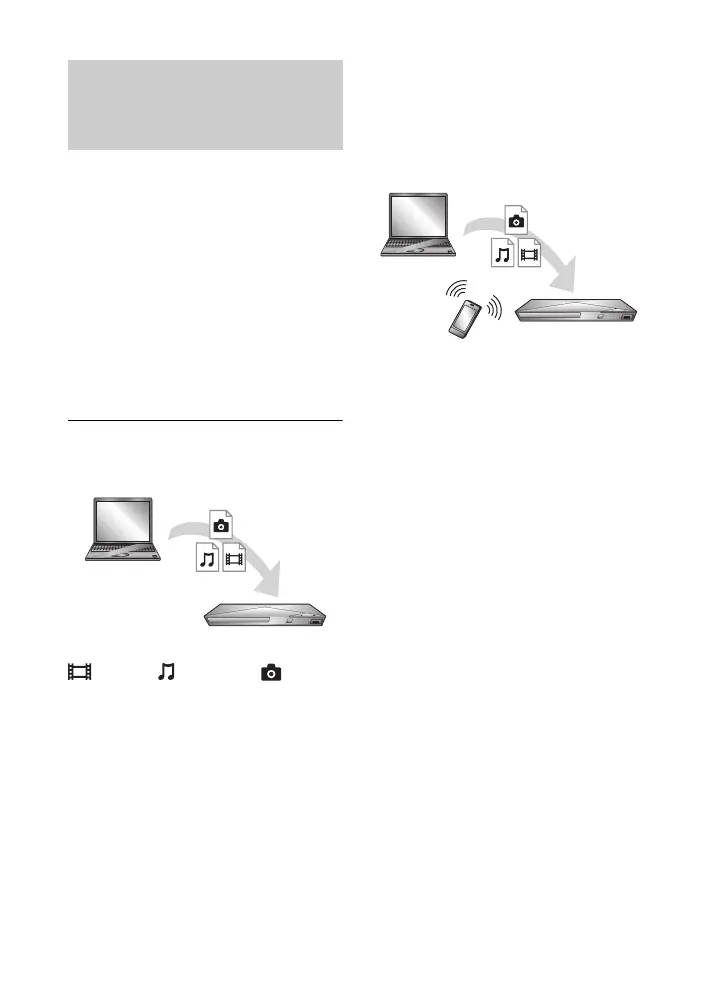
A DLNA-compatible product can play
video/music/photo files stored on
another DLNA-compatible product via a
network.
1 Prepare to use DLNA.
• Connect the player to a network
(page 17).
• Prepare the other necessary
DLNA-compatible products.
Refer to the instruction manual
supplied with the product.
To play a file from a DLNA server via
this unit (DLNA player)
Select the DLNA server icon from
[Video], [Music], or [Photo]
category, then choose the file you want
to play.
To play a file from a DLNA server via
another product (Renderer)
When you play files from a DLNA
Server on this unit, you can use a DLNA
Controller-compatible product (a phone,
etc.), to control playback.
Control this unit using a DLNA
controller. Refer to the instruction
manual supplied with the DLNA
controller.
Playing files on a Home
Network (DLNA) (BDP-S3200/
BX320/S5200/BX520 only)
Server
Player
Server
Controller
Renderer



 To Next Page