13
Hookups and Settings
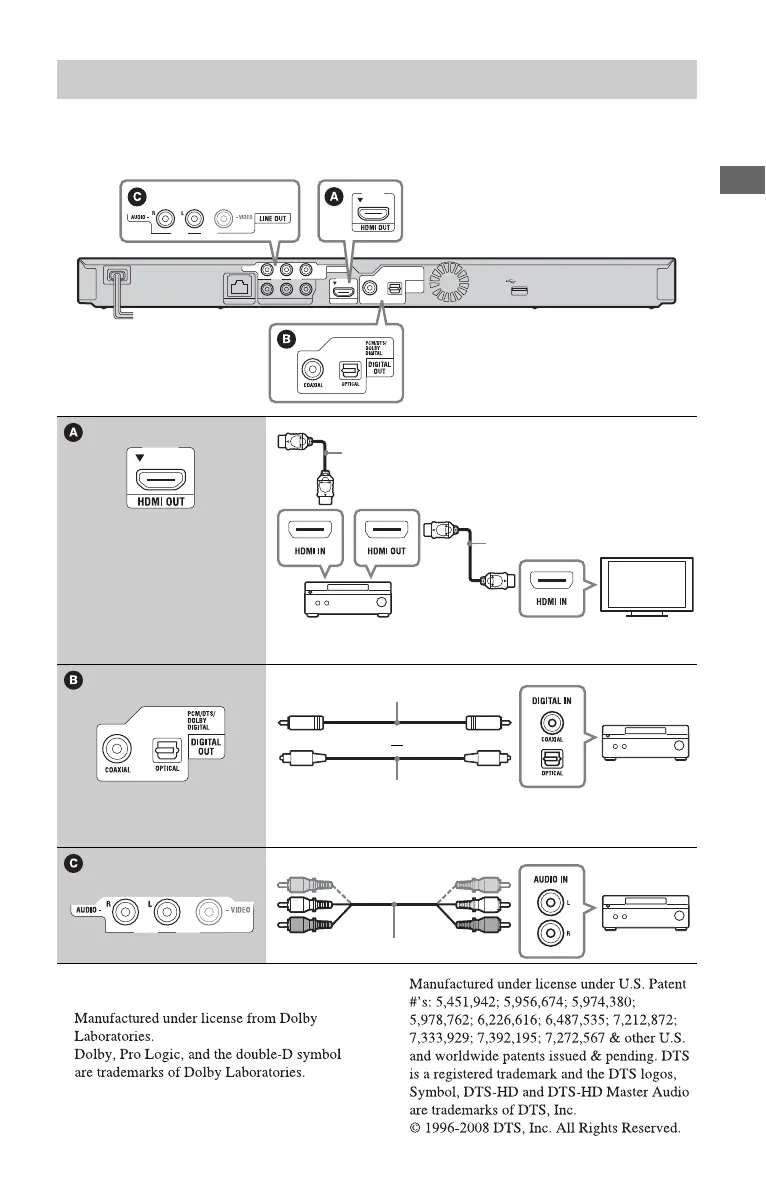
Select one of the following connection methods according to the input jacks on your AV
amplifier (receiver). When you select A or B, make the appropriate settings in the “Audio
Settings” setup (page 23).
*1
See “Checking the supplied accessories”
(page 11).
Connecting to your AV amplifier (receiver)
HDMI cable
(not supplied)
t Set “BD Audio MIX Setting” (page 23).
HDMI cable
*1
Coaxial digital cable (not supplied)
t Set “Dolby Digital (Coaxial / Optical)
*2
” (page 23)
and “DTS (Coaxial / Optical)
*3
” (page 23).
Optical digital cable (not supplied)
or
Audio/video cable (supplied)
*2
*3



 To Next Page