44
AES (advanced encryption standard)
assures a higher security level than WEP
(wired equivalent privacy) or TKIP
(temporal key integrity protocol).
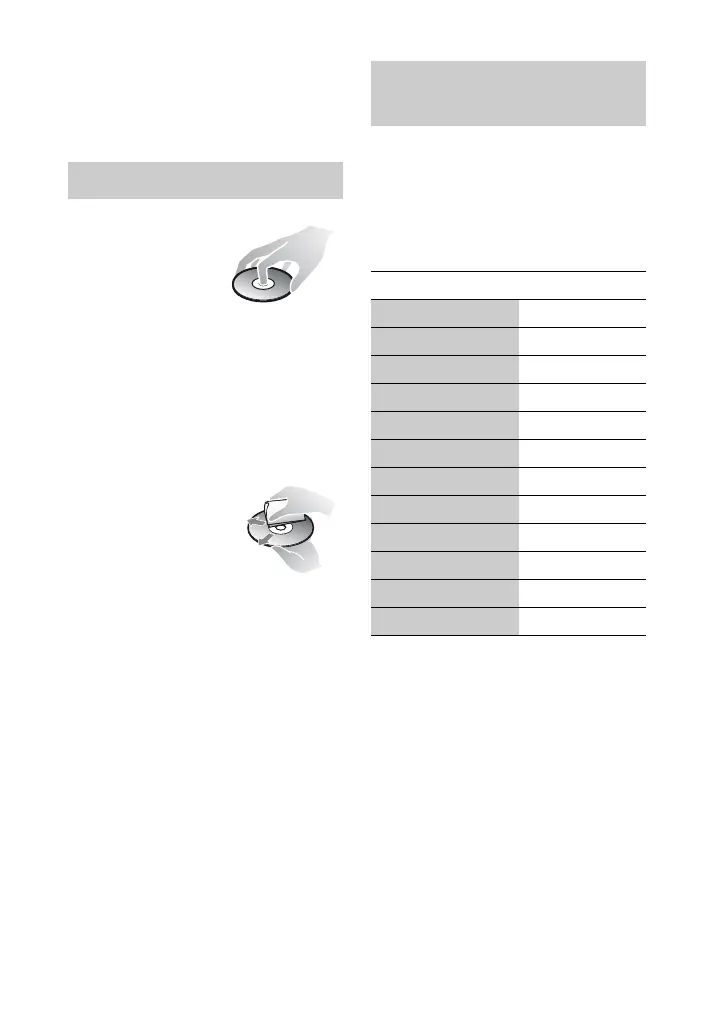
• To keep the disc
clean, handle the
disc by its edge.
Do not touch the
surface.
Dust, fingerprints, or scratches on the
disc may cause it to malfunction.
• Do not expose the disc to direct
sunlight or heat sources such as hot air
ducts, or leave it in a car parked in
direct sunlight as the temperature may
rise considerably inside the car.
• After playing, store the disc in its case.
• Clean the disc with a
cleaning cloth. Wipe
the disc from the
center out.
• Do not use solvents
such as benzine,
thinner, commercially available disc/
lens cleaners, or anti-static spray
intended for vinyl LPs.
• If you have printed the disc’s label, dry
the label before playing.
• Do not use the following discs.
– A lens cleaning disc.
– A disc that has a non-standard shape
(e.g., card, heart).
– A disc with a label or sticker on it.
– A disc that has cellophane tape or
sticker adhesive on it.
• Do not resurface the playing side of a
disc to remove surface scratches.
While holding down -TV- [/1 (TV on/
standby), enter the TV manufacturer’s
code using the number buttons.
If more than one code number is listed,
try entering them one at a time until you
find the one that works with your TV.
Notes About the Discs
Code numbers of controllable
TVs
Manufacturer Code number
Sony 01 (default)
Hitachi 02
LG/Goldstar 04
Mitsubishi/MGA 13
NEC 04
Panasonic 19
Philips 21
Pioneer 16
RCA 10
Samsung 20
Sharp 18
Toshiba 07


 To Next Page